Question

Fan out to windows folders KML styler not working

  • September 5, 2018
  • 10 replies
  • 40 views

Forum|alt.badge.img

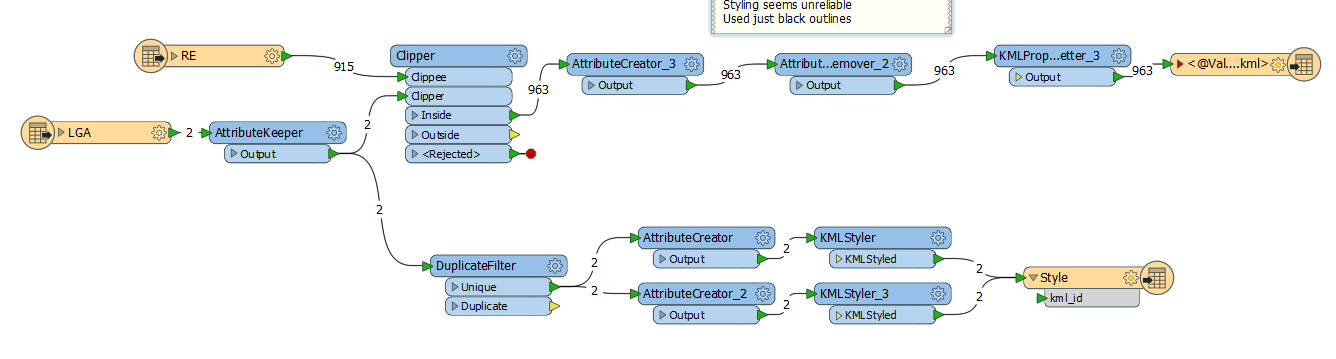
As soon as I try to fan out data to windows folders the KMLStyler no longer works. I expect the "Style" feature is no longer written to the KML file at all. I have no idea how to fix this. I have a simple example which works when I remove fan out. I fan out to a folder based on an attribute in a clipper and create a kml in that folder with the a name using fme_feature_type. Thanks in advance, Ian

This post is closed to further activity.
It may be an old question, an answered question, an implemented idea, or a notification-only post.
Please check post dates before relying on any information in a question or answer.
For follow-up or related questions, please post a new question or idea.
If there is a genuine update to be made, please contact us and request that the post is reopened.


10 replies

mygis
Supporter
Forum|alt.badge.img+14
  • Supporter
  • September 5, 2018
Hello @ian2016 would you be able to share your workspace with us?


Forum|alt.badge.img
  • Author
  • September 6, 2018

Thanks for your reply, I attach the workspace, the data is too big, but the inputs are just 2 polygon datasets, one clips the other and fans out to a folder based on an attribute from the clipper. When I don't fan out the styler works.


mygis
Supporter
Forum|alt.badge.img+14
  • Supporter
  • September 6, 2018

Since I do not have the data, it is a bit difficult for me to look at the problem. Could you please try to fan out with a different Attribute?


Would you be able to share the data as well?

takashi
Celebrity
  • September 6, 2018

You have set an attribute called "ABBREV_NAME" to the Fanout Expression for the KML writer, but the features coming from the KMLStyler transformers don't have the attribute. I think it's the reason why the features won't be written into your desired destination KML dataset.


Forum|alt.badge.img
  • Author
  • September 6, 2018

Thanks for your responses, I attach a workspace that uses data small enough to attach along with the data.


Forum|alt.badge.img
  • Author
  • September 6, 2018

I would just like to give an update. As takashi says, the problem is to do with not having the fan out attribute in the stylers. I have disabled the creator and fed in the feature type with the fan out attribute directly into the Stylers and then removed the geometry before outputting to the Style (of the kml). This seems to work. Could someone shed light on whether this is the best way to do this?

Thanks again

Ian


mygis
Supporter
Forum|alt.badge.img+14
  • Supporter
  • September 6, 2018

Since I do not have the data, it is a bit difficult for me to look at the problem. Could you please try to fan out with a different Attribute?


Would you be able to share the data as well?
@ian2016


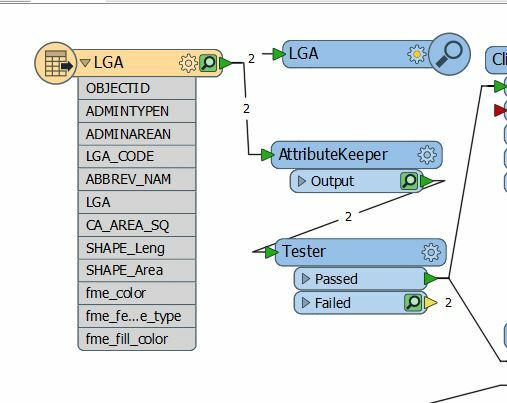
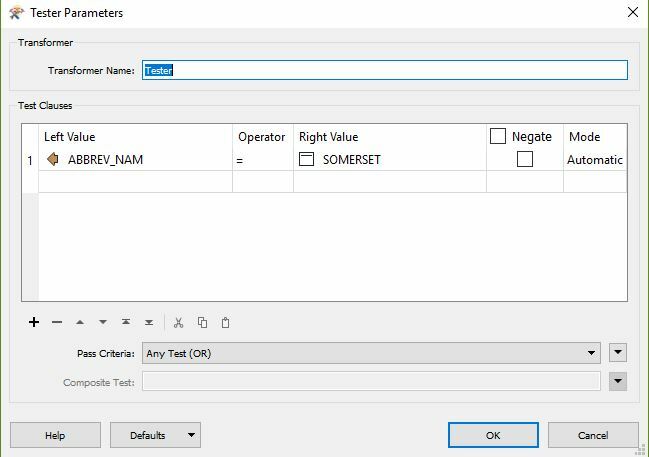
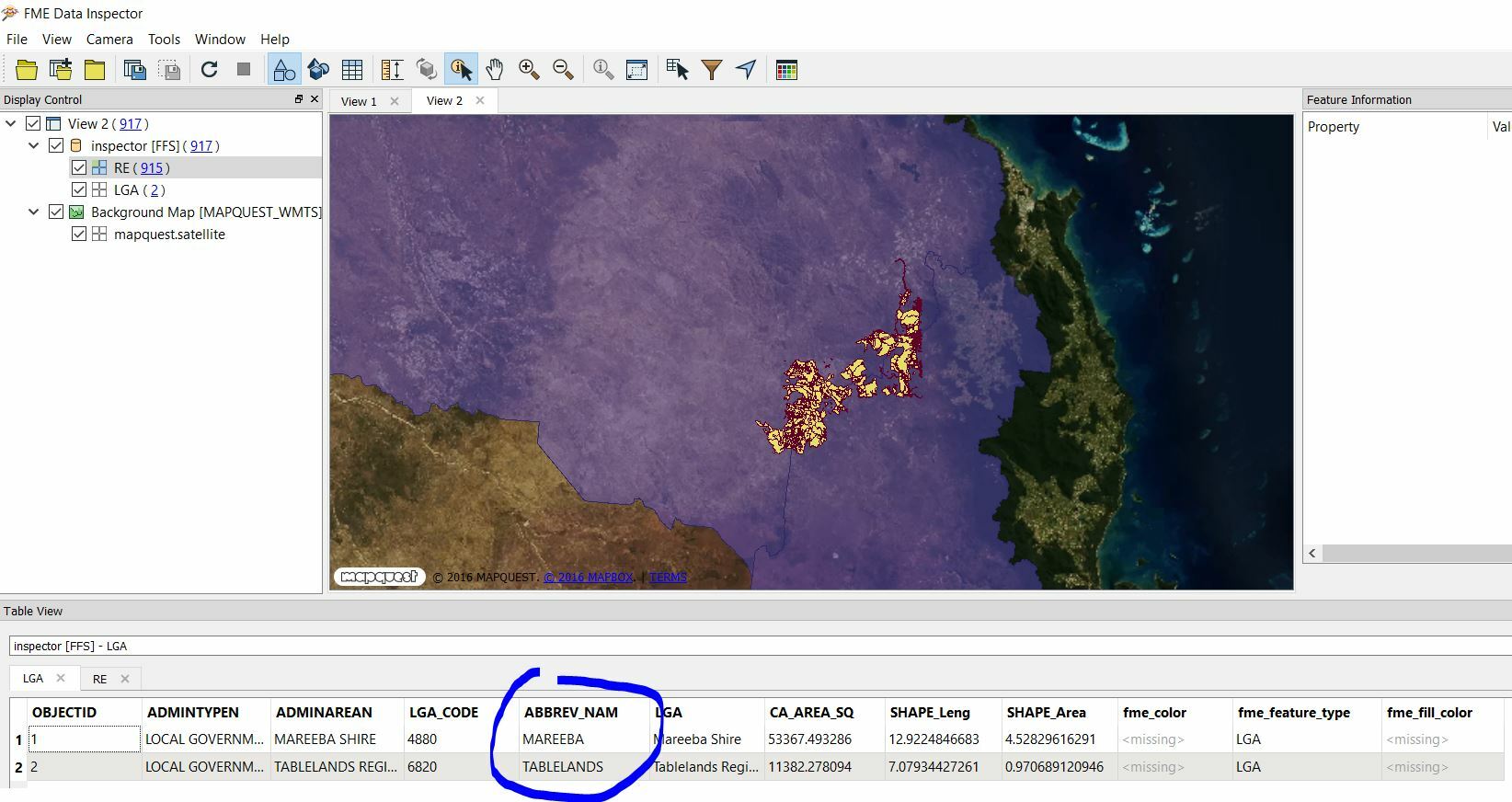
You are looking for the 'Somerset' features using the Tester in the "ABBREV_NAME" which are missing or not available.


Forum|alt.badge.img
  • Author
  • September 6, 2018

Since I do not have the data, it is a bit difficult for me to look at the problem. Could you please try to fan out with a different Attribute?


Would you be able to share the data as well?
Thanks, I have removed the tester and with my latest answer it seems I needed to introduce the fanout attribute into the stylers


mygis
Supporter
Forum|alt.badge.img+14
  • Supporter
  • September 6, 2018
Thanks, I have removed the tester and with my latest answer it seems I needed to introduce the fanout attribute into the stylers


Glad you manged to solve it.


ebygomm
Influencer
Forum|alt.badge.img+46
  • Influencer
  • September 6, 2018

I would just like to give an update. As takashi says, the problem is to do with not having the fan out attribute in the stylers. I have disabled the creator and fed in the feature type with the fan out attribute directly into the Stylers and then removed the geometry before outputting to the Style (of the kml). This seems to work. Could someone shed light on whether this is the best way to do this?

Thanks again

Ian

I would remove the creator, and trigger that part of the workspace from the LGA input - duplicate filter to keep just one instance for each ABBREV_NAM and send that into the styling part of the workflow