



Question

citygml cityfurniture

  • May 5, 2015
  • 1 reply
  • 19 views

hth
Participant
Forum|alt.badge.img+2
I am looking for an example to write CityGML-cityfurniture with FME-Desktop.


I've created a 3D-modell of a sign within FME which I now want to export as citygml-cityfurniture.


While creating it I've assigned different apperances to parts of the sign (sign=white, text on sign=black) and aggregated all faces to that sign. Looks great, if I export it to 3D-PDF.


But exporting it to citygml-cityfurniture lacks the colors of the sign. I am not quiet sure, if I doing it right.


After aggregating I am using the transformers as shown in the attached jpg-file.
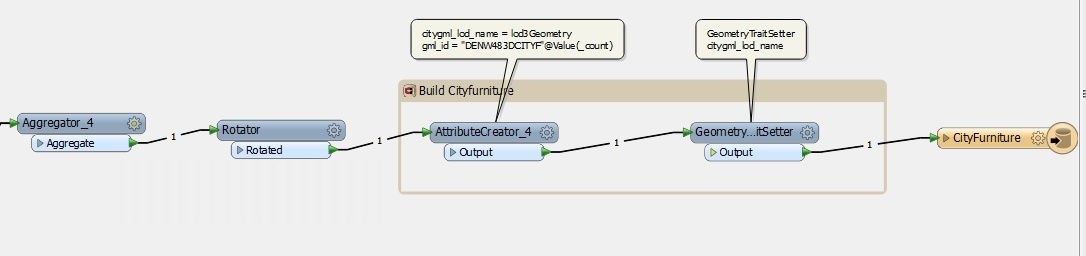


Any suggestions or a workbench that creates cityfurniture the write way would be nice. :)



This post is closed to further activity.
It may be an old question, an answered question, an implemented idea, or a notification-only post.
Please check post dates before relying on any information in a question or answer.
For follow-up or related questions, please post a new question or idea.
If there is a genuine update to be made, please contact us and request that the post is reopened.

1 reply

harmen_kampinga
Forum|alt.badge.img+2

Did you already solved this one?


Try to use the AppearenceSetter.


Curious for your results by the way! In Rotterdam there is also the idea of creating signs for their 3D City model : www.3drotterdam.nl