

Question

Set raster to NoData outside of Polygon

  • August 28, 2014
  • 2 replies
  • 333 views

Forum|alt.badge.img
Let me preface as I know this topic has been addressed in various iterations, but between reviewing past FME Community Answers, the old Google Forum, and the Knowledge Base I am still having some difficulties.


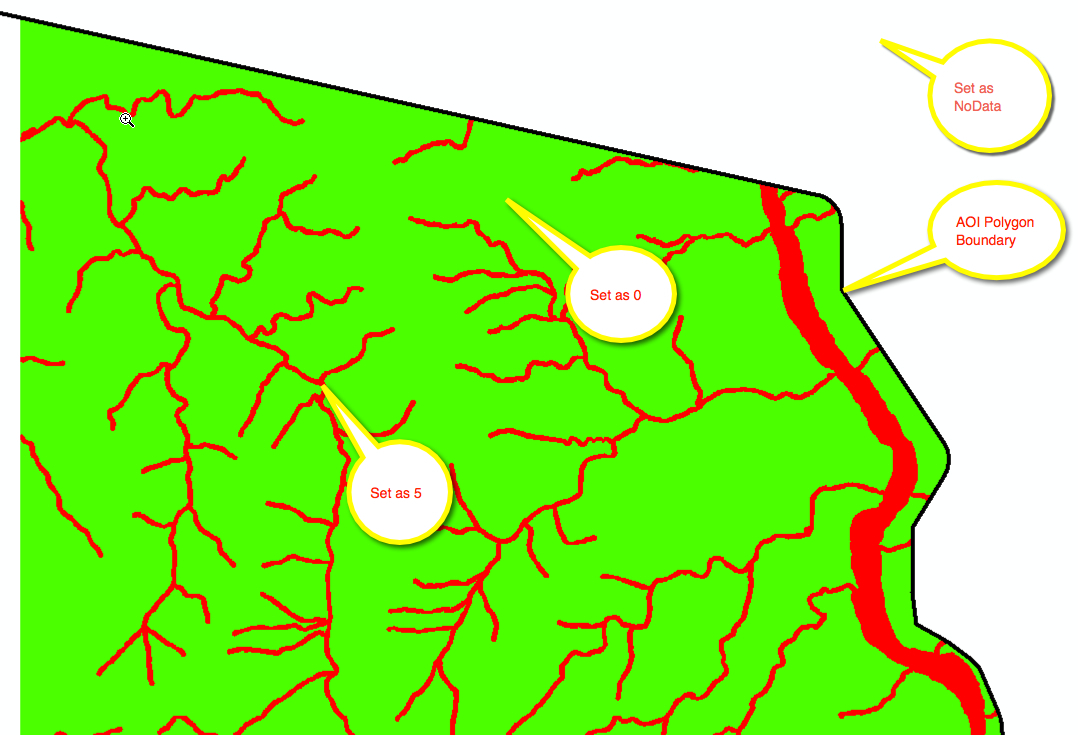
Short of the long, I am converting a vector (polygon) dataset to raster. So far so good as the NumericRasterizer works perfectly. The problem I am running into is that I need to set the area outside of my Area of Interest polygon to NoData.


Ideal Scenario:


Here is part of the Workbench having the issue: 
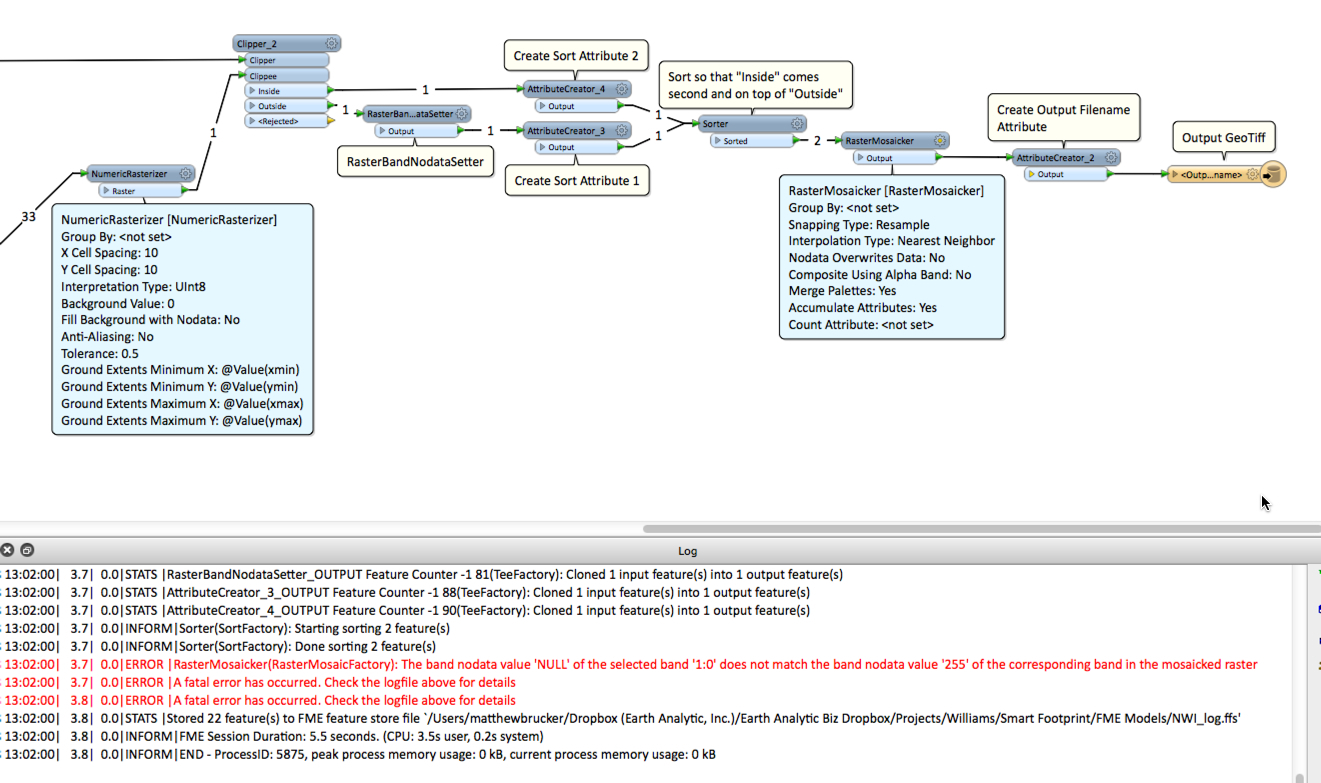


I get the following error message: 


RasterMosaicker(RasterMosaicFactory): The band nodata value 'NULL' of the selected band '1:0' does not match the band nodata value '255' of the corresponding band in the mosaicked raster


Basically, how do I force the outside to be set as NoData and then mosaic back together with inside features so that when it's writen out as a GeoTIFF, the correct values of 5 & 0 are inside and outside the polygon is NoData.


Thanks in advance,


Matt



This post is closed to further activity.
It may be an old question, an answered question, an implemented idea, or a notification-only post.
Please check post dates before relying on any information in a question or answer.
For follow-up or related questions, please post a new question or idea.
If there is a genuine update to be made, please contact us and request that the post is reopened.

2 replies

takashi
Celebrity
  • August 29, 2014
HI Matthew,


Try this.


1) Set 255 to Nodata value before the Clipper with the RasterBandNodataSetter.


2) Replace all cell values of the Outside raster with 255 using the RasterCellValueReplacer.


Takashi

Forum|alt.badge.img
Awesome! Works flawlessley. Thanks Takashi.

