




Question

Raster to Vector issue

  • March 10, 2015
  • 2 replies
  • 62 views

samisnunu
Contributor
Forum|alt.badge.img+15
Hi FMErs,


I have a polygon feature type that came from a coerced raster grid from USGS.


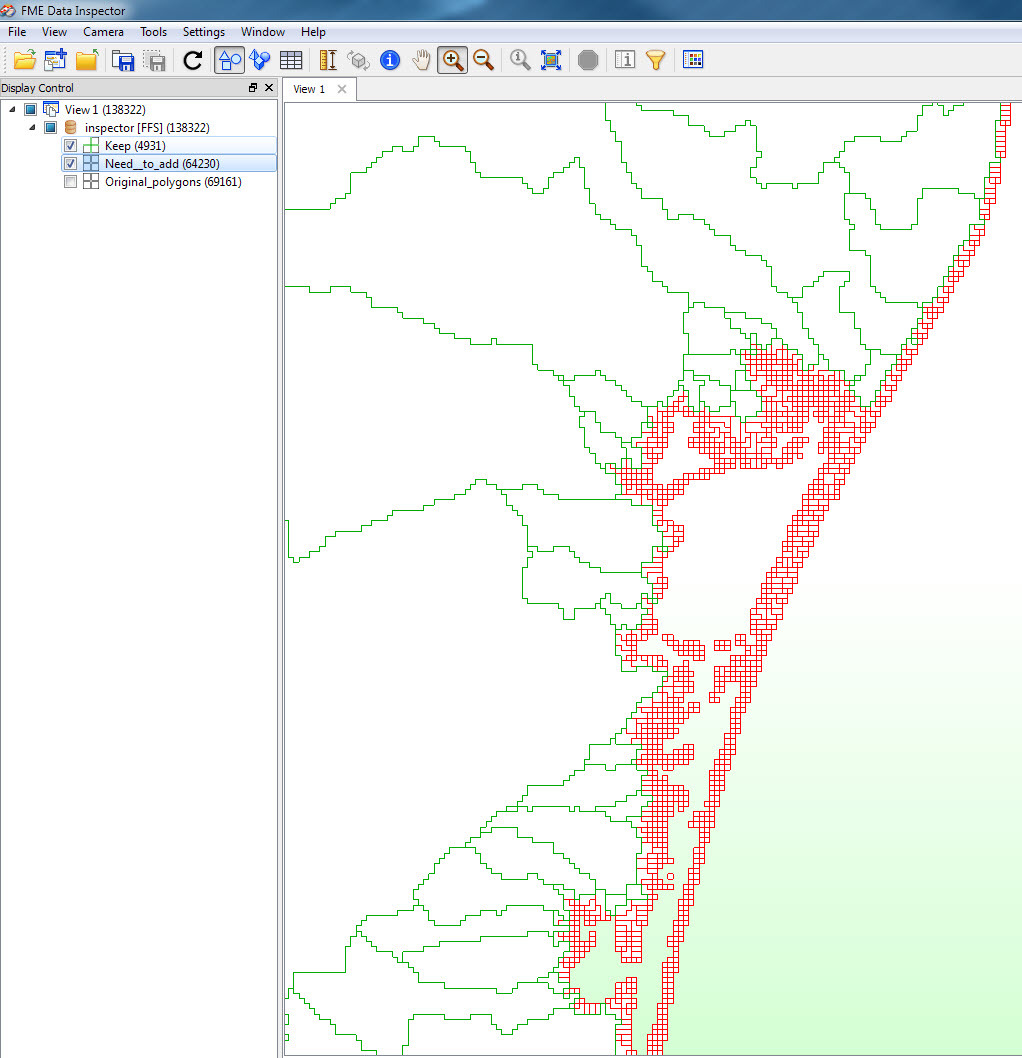
So the source data is now consists of large dissolved polygons,see snapshot, but you can see the adjacent tiny pixel polygons (I symbolizedthem in red) existing at the edges but were not dissolved to their shared big boundary polygons for some reason. 


No helpful attribute exist whaich I can use to group by to solve this issue, as the attributes available are only Unique_Id and Area_Sqkm


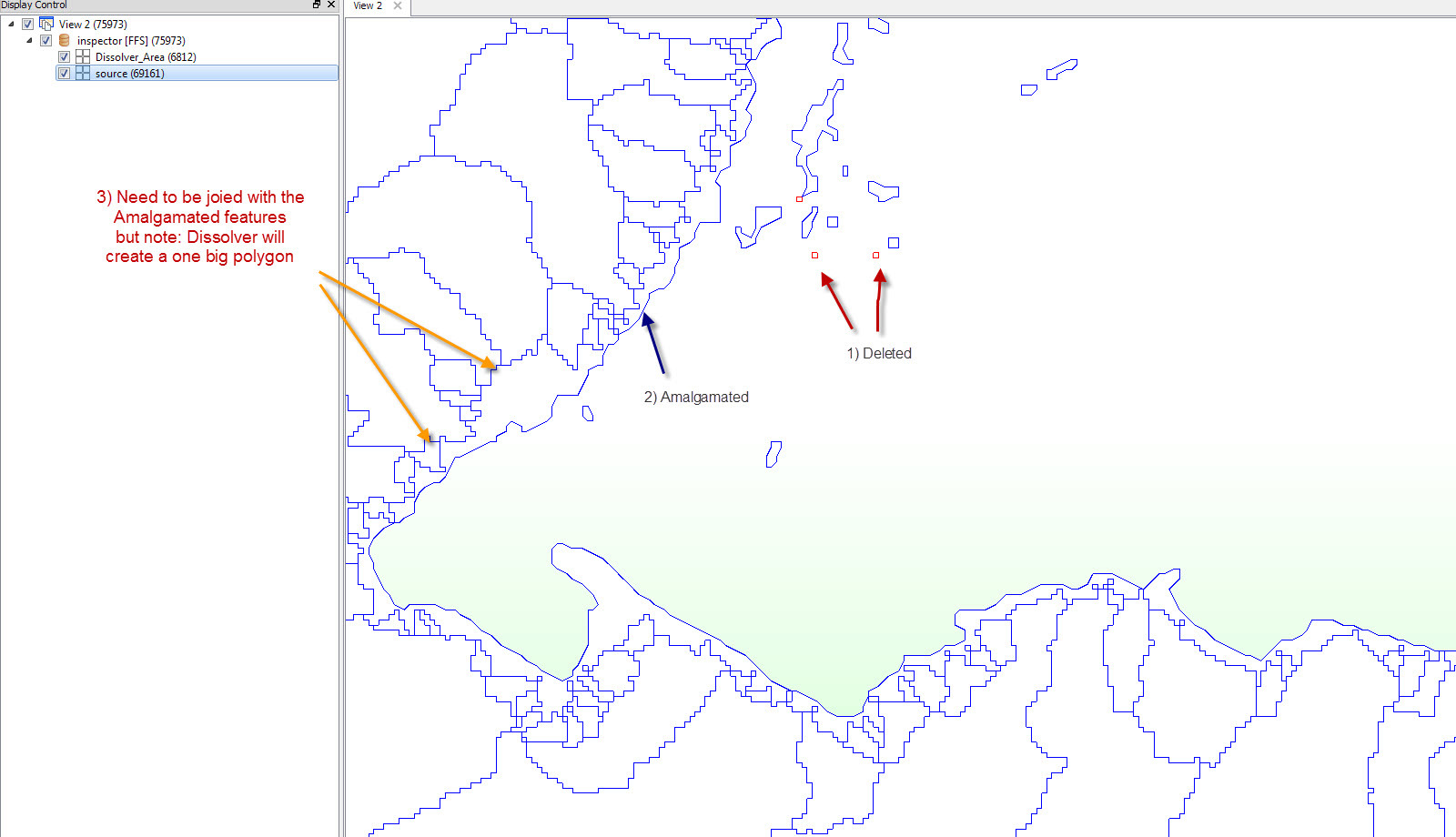
I mainly used area calculator to to filter out the tiny anomaly pixels, deaggregator and amalgamator transformers to help me in this, but this provided partial solution, and the result is not seem consistent, seamless or I would lose geometry details...


Any idea please?  FME 2014 SP3


my output result are symbolized in blue..


This post is closed to further activity.
It may be an old question, an answered question, an implemented idea, or a notification-only post.
Please check post dates before relying on any information in a question or answer.
For follow-up or related questions, please post a new question or idea.
If there is a genuine update to be made, please contact us and request that the post is reopened.

2 replies

takashi
Celebrity
  • March 11, 2015
Hi Sami,


I suppose you transformed the raster into the polygons using the RasterToPolygonCoercer.


The transformer dissolves adjoining cells having same cell value, so the issue might be resolved if you could modify cell values appropriately before the transformation.


Not sure whether it's possible or not. It depends on the actual raster data condition.


Takashi

samisnunu
Contributor
Forum|alt.badge.img+15
  • Author
  • Contributor
  • March 11, 2015
Thanks Takashi,


I wish though, but this data is delivered from USGS website..so they provided the data as is..


