In the writers, under user attributes we can see the table with name, type, of data, width., etc. Is there a way to copy/pate or export this table in csv? I am tasked with data type for multiple outputs, and it would be great not to do so manually.

Question
In the writers, under user attributes we can see the table with name, type, of data, width., etc. Is there a way to copy/pate or export this table in csv? I am tasked with data type for multiple outputs, and it would be great not to do so manually.


You can use the FMW Workspace Reader to read in all kinds of information about workspaces, and then write that out to CSV. Not sure if the specific info you need is available, but it probably is.
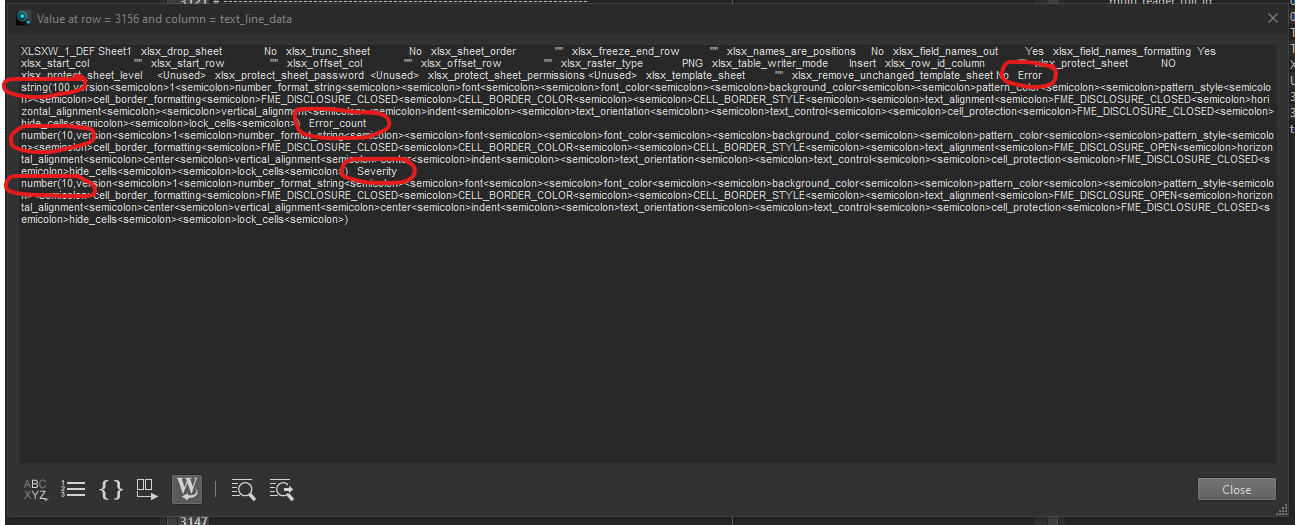
I know it's not the best solution, but in the meantime you might consider reading the .fmw file in using the Text File reader. Near the bottom, you should find the writer info you are looking for. The problem you will find is parsing that information into something usable. In the example below, I have an Excel reader with 3 attributes (Error, Error_count, and Severity). You can see the data type is available as well.