Question

How to change the length of a line with an attribute table?

  • March 14, 2016
  • 4 replies
  • 71 views

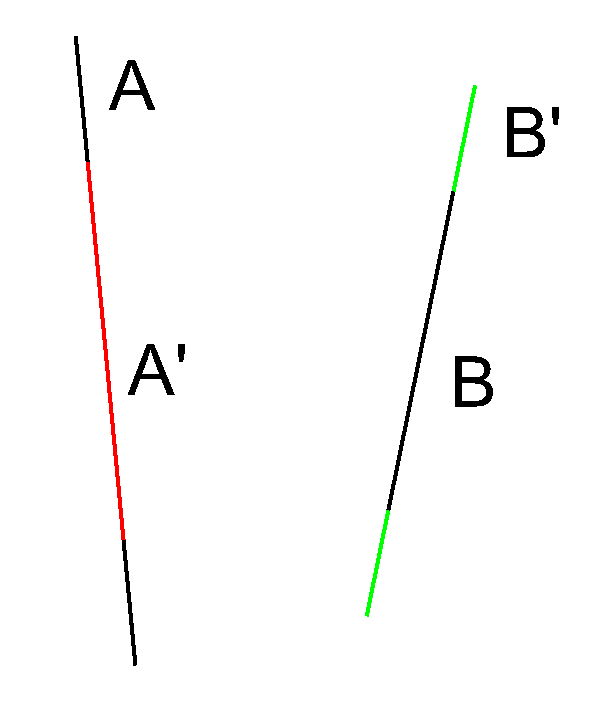
Hello, I have a shapefile with lines that have a length. I would like to extend or shrink these lines by using the data of the attribute table. Can you explain how to proceed ?
thank you,

Fabrice

This post is closed to further activity.
It may be an old question, an answered question, an implemented idea, or a notification-only post.
Please check post dates before relying on any information in a question or answer.
For follow-up or related questions, please post a new question or idea.
If there is a genuine update to be made, please contact us and request that the post is reopened.

4 replies

redgeographics
Celebrity
Forum|alt.badge.img+62

The Extender can extend a line, on both ends, and the length of the extension can be taken from an attribute. So in your example if B is your original line and you have an attribute specifying the length of B' you will get B + B'


takashi
Celebrity
  • March 14, 2016

The Extender can extend a line, on both ends, and the length of the extension can be taken from an attribute. So in your example if B is your original line and you have an attribute specifying the length of B' you will get B + B'

Hi @fabkouyou, addition to @redgeographics' answer, you can also use the Snipper transformer to shrink the lines. Set x to Starting Location and set (L - x) to Ending Location. Here x indicates the required shrinking length for one end, and L indicates the length of the original line. L can be calculated with the LengthCalculator or @Length() function.


david_r
Celebrity
  • March 14, 2016

As @redgeographics says, use the Extender. To shrink, use a negative extension length in the Extender.


  • Author
  • March 14, 2016

Hello, thank you very much for your answers. I add "AttributeCreator" to calculate the length to extend or shrink. and after the "Extender. And all is OK







