Question

How can I have a workspace reader to only read writer information.

  • October 4, 2023
  • 5 replies
  • 153 views

I current have a workspace reader that reads all of fmw files in a selected folder and use the WriterFeatureTypes to find all names writers in each fmw file being read.
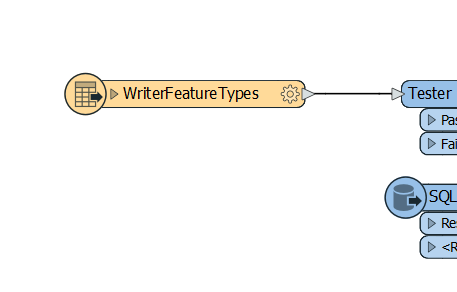
workspace readerBut when I run it, it produces errors and warning messages that aren't relevant to the writer (screenshot below).
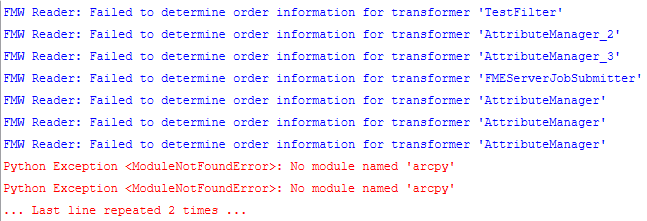
error/warningSince I only wish to know the names of the layers that the writers in each fmw file writes to, is there a way to avoid reading other information about the file such as the transformers to remove getting these errors/warnings and improve the runtime?


5 replies

danminneyatsaf
Safer
Forum|alt.badge.img+13

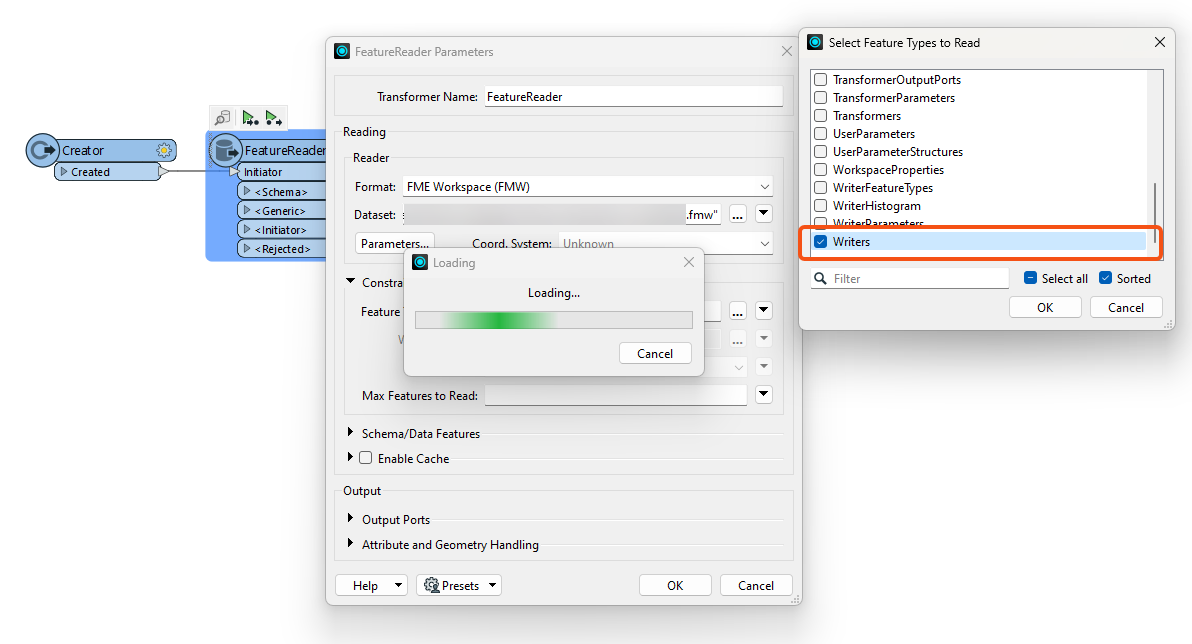
Hey @anik​, try configuring the Workspace Reader in a FeatureReader transformer instead. In there you can specify the Feature Types and set it to only read in the Writer information. This should avoid you having to read in all the information on the different objects in your workspace and instead only read in the writer information.image.png 


  • Author
  • October 11, 2023

Hey @anik​, try configuring the Workspace Reader in a FeatureReader transformer instead. In there you can specify the Feature Types and set it to only read in the Writer information. This should avoid you having to read in all the information on the different objects in your workspace and instead only read in the writer information.image.png 

Hello @danminneyatsaf​,

Thank you for the answer but I still face the same issue of getting hundreds of warning and error messages.

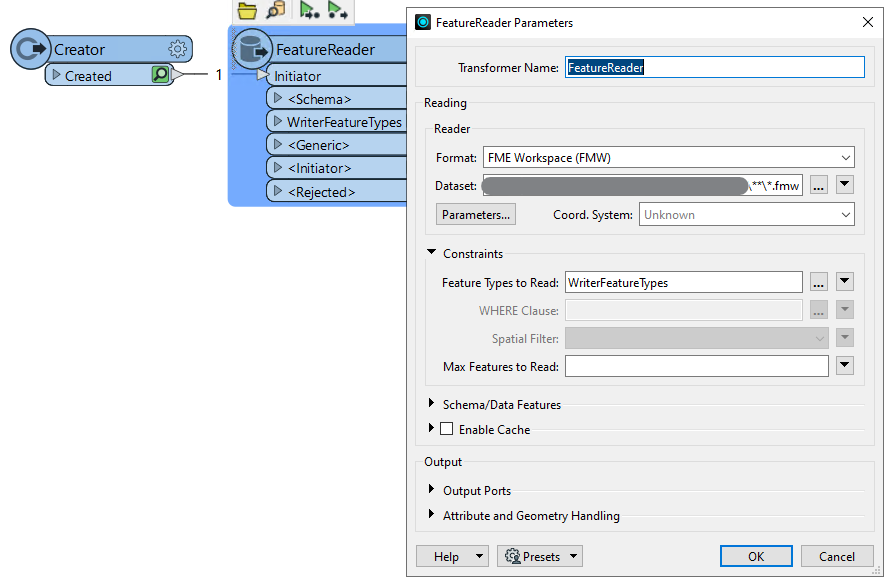
This is a screenshot of how I set up the transformer. I basically did exactly the same as what you have mentioned.

image


jasonedwards_wp
Contributor
Forum|alt.badge.img+1

Hey there, just wondering if this question has not yet been resolved? I may have a different solution if not.


desiree_at_safe
Safer
Forum|alt.badge.img+24

Hi ​@jasonedwards_wp! This question hasn’t been marked as “Best Answer” by the thread author yet. I’d encourage you to share that alternative solution, as it might help other users who run into similar blockers! 🙂


jasonedwards_wp
Contributor
Forum|alt.badge.img+1

Thanks ​@desiree_at_safe.

​@anik 
 

Hi all,


I ended up taking this concept significantly further and thought I'd share the approach I ultimately used.


My objective was not simply to read writer information from a single FMW, but rather to automatically catalogue every workspace deployed across our FME Flow environment, which currently contains more than 300 workspaces.


As part of my research, I found an FMW template on the FME Community Hub that could export reader and writer information from workspace files. Whilst it was a useful starting point, the output was fairly high-level and primarily focused on identifying the readers and writers themselves. For our purposes, we needed a much deeper level of analysis. The template did not expose the actual dataset storage locations, feature classes, layer names, dynamically generated paths, published parameter values, or other dependencies hidden within the workspace. Understanding these details was critical if we wanted to accurately document our FME Flow environment and identify migration, upgrade, governance, and modernisation impacts.


The workflow I ultimately developed begins by querying the FME Flow REST API to retrieve all repositories and then all workspaces within those repositories. From there, I construct the physical FMW file locations using the repository and workspace names together with our FME Flow repository UNC paths.


Once the full list of FMW files has been generated, I use the FME Workspace (FMW) format through a FeatureReader to interrogate each workspace. Rather than just extracting writer information, I also read readers, writers, transformers, transformer parameters, user parameters, and workspace properties.


An additional benefit of this approach is that I can combine metadata from the workspace itself with metadata available through the FME Flow API, including:


- Repository name

- Workspace name

- Date uploaded

- Date last modified

- Number of Flow runs

- Repository ownership and organisational details

- The ability to selectively analyse specific repositories or workspaces


The challenging part comes after reading the workspace metadata.


There is no universal way to extract dataset locations, feature classes, feature types, or layer names across all formats because every reader and writer type stores this information differently. Whilst the Community Hub template provided a useful inventory of readers and writers, extracting meaningful governance information required considerably more work.


FeatureReader and FeatureWriter transformers expose datasets differently from traditional readers and writers, and published parameters, user parameters, and dynamic values often need to be resolved before the true source or destination dataset can be identified.


As a result, I built separate extraction logic for:


- Traditional Readers

- Traditional Writers

- FeatureReader transformers

- FeatureWriter transformers

- Other transformers that directly consume or produce external data


For each format type, I inspect the relevant parameters individually and resolve:


- Dataset locations

- Feature classes / layers

- Dynamic values

- Published parameters

- User parameters

- Runtime substitutions


This allows me to determine the actual source and destination datasets rather than simply reporting parameter placeholders.


The final output is written to an Excel workbook containing separate tabs for:


- Readers

- Writers

- Data-reading transformers

- Data-writing transformers

- Workspace summary information


with one record per object.


The original driver for this work was identifying ArcFM dependencies ahead of our Utility Network migration, but it has since become a much broader governance and risk management tool.


Some of the benefits we've realised include:


- Identifying ArcFM dependencies that require remediation for Utility Network migration

- Discovering external datasets and integration opportunities

- Understanding where data is sourced from and written to across more than 300 workspaces

- Identifying legacy or unsupported technologies such as SDE30 reader and writer formats

- Highlighting technical debt and modernisation opportunities

- Providing leadership with much greater visibility of enterprise data flows


One particularly valuable outcome has been upgrade readiness. By maintaining an inventory of all reader, writer, and transformer formats in use, we can compare our environment against FME release notes and deprecation notices before upgrading. This allows us to proactively identify workspaces that may require remediation rather than discovering issues after the upgrade has occurred.


Unfortunately, we experienced exactly this challenge during our most recent upgrade, where incompatible components and deprecated technologies only became apparent after the platform had already been upgraded. Having this catalogue would have allowed us to assess the impact beforehand, identify affected workspaces, and implement the required changes in a controlled manner rather than under operational time pressures.


Essentially, I found that trying to read only the writer information was limiting. Once I started treating FMW files as a metadata source, the real value came from analysing the entire workspace ecosystem rather than individual components.


Given the scale of our environment, this has become an effective way of governing and understanding more than 300 workspaces that would otherwise be difficult to document, assess, and manage manually.