


Question

Fanout and zip outcome with FeatureWriter

  • July 18, 2017
  • 2 replies
  • 51 views

oscard
Influencer
Forum|alt.badge.img+23

Hi!

I'm changing my classic readers and writers to use FeatureReader and FeatureWriter transfomers.

One of those writers is a INSPIRE GML that creates as many gml as distintc values has a field. And then, all of them are compressed in a zip file:
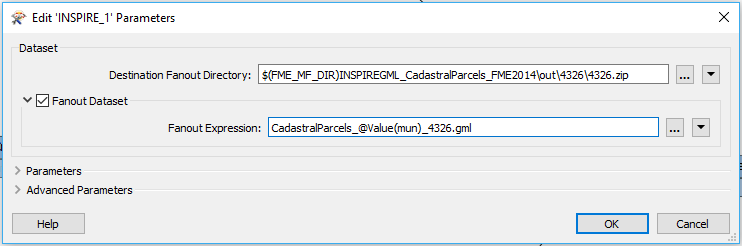
I don't know how to do the same with the FeatureWirter transformer. There I only have one text box for the Dataset.

Is there a way to achieve this with the FeatureWriter?

Thanks for any help!

I'm using FME Desktop 2017.

This post is closed to further activity.
It may be an old question, an answered question, an implemented idea, or a notification-only post.
Please check post dates before relying on any information in a question or answer.
For follow-up or related questions, please post a new question or idea.
If there is a genuine update to be made, please contact us and request that the post is reopened.

2 replies

redgeographics
VIP
Forum|alt.badge.img+62

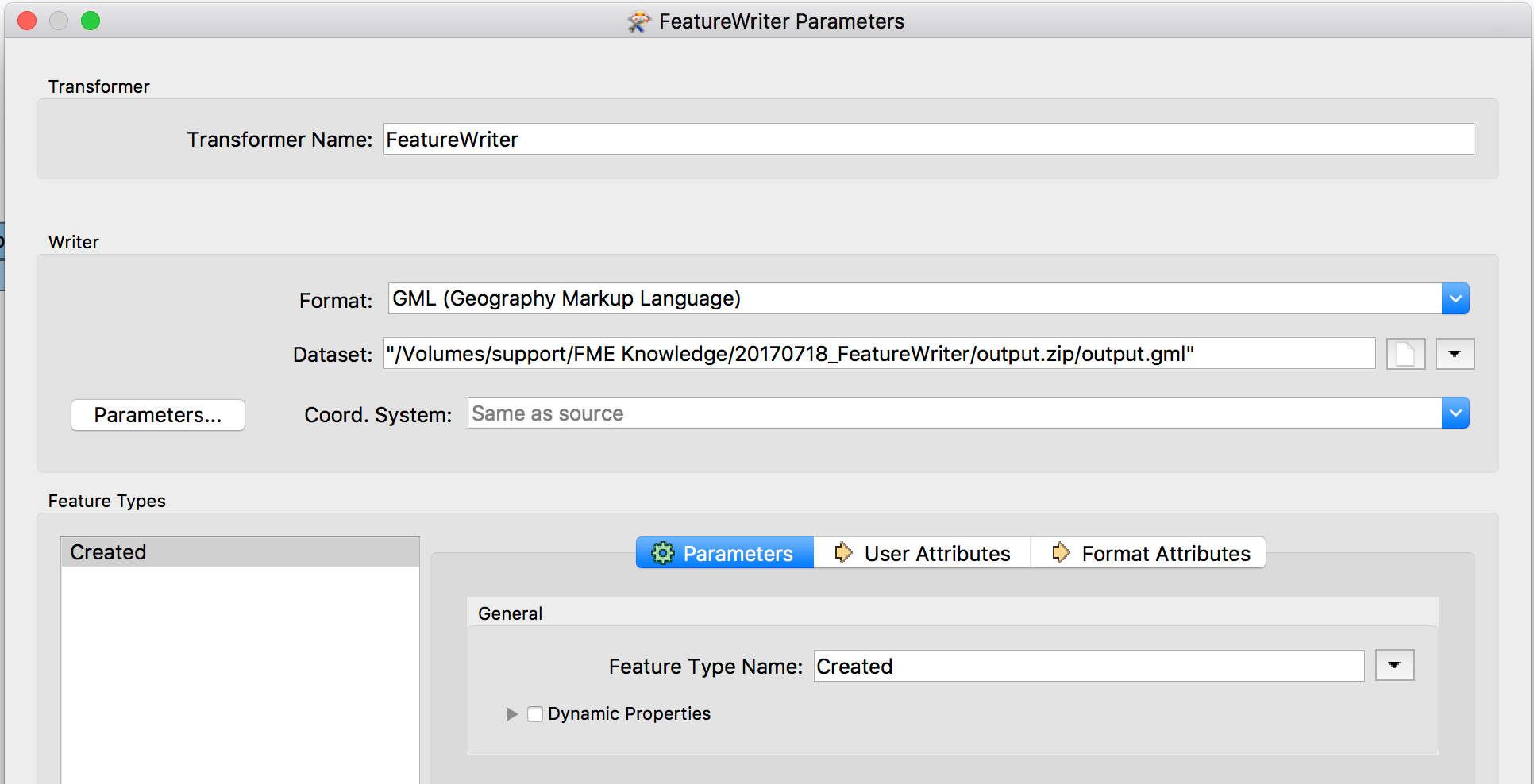
Yes, you indeed only have one text box for the dataset in the FeatureWriter, but you can specify a path including the .zip file

So in this case it makes output.zip containing output.gml. You still have access to the Text Editor if you want to use attributes in the pathname and that will fanout.


oscard
Influencer
Forum|alt.badge.img+23
  • Author
  • Influencer
  • July 19, 2017

Yes, you indeed only have one text box for the dataset in the FeatureWriter, but you can specify a path including the .zip file

So in this case it makes output.zip containing output.gml. You still have access to the Text Editor if you want to use attributes in the pathname and that will fanout.

Thanks!


It works perfectly!