Question

Dear colleagues! I've read this article https://community.safe.com/s/article/writing-citygml-example and I have 1 goofy question. How could I change repeat times of my texture, and it will correlate with the length of the wall?


  • January 21, 2021
  • 3 replies
  • 31 views

naste4kina
Forum|alt.badge.img
Dear colleagues! I've read this article https://community.safe.com/s/article/writing-citygml-example and I have 1 goofy question. How could I change repeat times of my texture, and it will correlate with the length of the wall?


3 replies

chrisatsafe
Contributor
Forum|alt.badge.img+2
  • Contributor
  • January 21, 2021

Hi @naste4kina​ ,


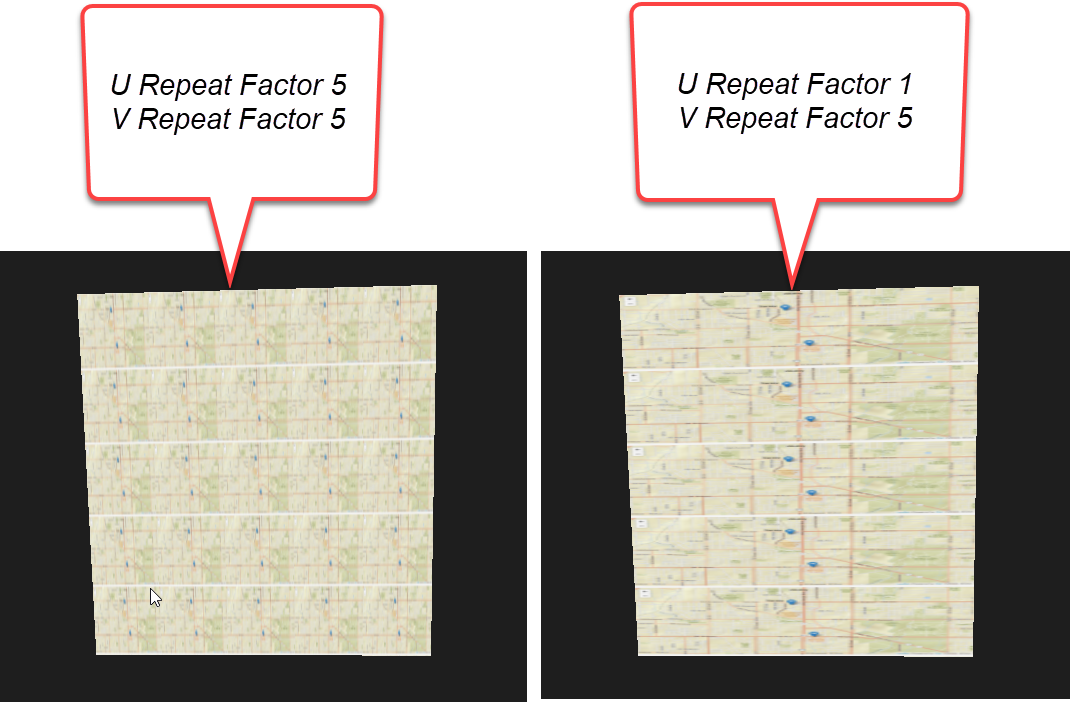
Good question - you've found the correct right parameter to get this done. By default, these values are set to 1.0 and 1.0 which will apply the appearance once to the entire geometry. If you want the appearance to repeat, you can adjust this value to the number of times you want it to repeat.


As specified in the doc, the parameters do the following:

  • Texture u Repeat Factor can be used to specify the number of times the texture is repeated in rows.
  • Texture v Repeat Factor can be used to specify the number of times the texture is repeated in columns.


Here's an example of what a 5u/5v repeat looks like vs a 1u/5v repeat. This does apply to the entire height/width.

2021-01-21_9-34-50


naste4kina
Forum|alt.badge.img
  • Author
  • February 3, 2021

Hi @chrisatsafe​ ,


thank you so much for your clarifications!! everything is clear


chrisatsafe
Contributor
Forum|alt.badge.img+2
  • Contributor
  • February 3, 2021

Hi @chrisatsafe​ ,


thank you so much for your clarifications!! everything is clear

Great, thanks for letting me know you got it all working!