


Question

Clipping File geodatabase

  • January 16, 2018
  • 5 replies
  • 126 views

bjudes
Enthusiast
Forum|alt.badge.img+10

I have a file geodatabase with multiple features and I am using a shapefile to cut 3 small areas from the various layers in the file gdb. Whether I import the file gdb as a single merged feature or individual feature types I seem to get an output that has merged the attribution. For example my building poly now contains the columns in the attribute table for building point (all fields are null). I want to just cut and for the attribution to stay the same.
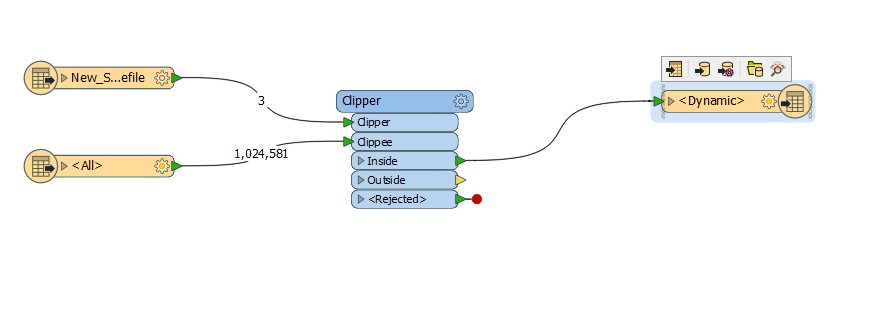
Hope this makes sense and thanks for any advice.

B

This post is closed to further activity.
It may be an old question, an answered question, an implemented idea, or a notification-only post.
Please check post dates before relying on any information in a question or answer.
For follow-up or related questions, please post a new question or idea.
If there is a genuine update to be made, please contact us and request that the post is reopened.

5 replies

ebygomm
Influencer
Forum|alt.badge.img+46
  • Influencer
  • January 16, 2018

Is the merge attributes box in the clipper unticked?


nathanatsafe
Safer
Forum|alt.badge.img+9
Hi @bjudes, thanks for your question!


Would you be able to post your workspace for troubleshooting? I'm wondering if you have any of the "Merge Attributes" parameters turned on in your Clipper, which is causing this. I believe there should be away to 'cleanly' clip your feature classes, if I understand your question correctly.


Thanks,


Nathan


bjudes
Enthusiast
Forum|alt.badge.img+10
  • Author
  • Enthusiast
  • January 16, 2018

Is the merge attributes box in the clipper unticked?

Yes it is .


fmelizard
Safer
Forum|alt.badge.img+21
  • Safer
  • January 16, 2018

Hi @bjudes,

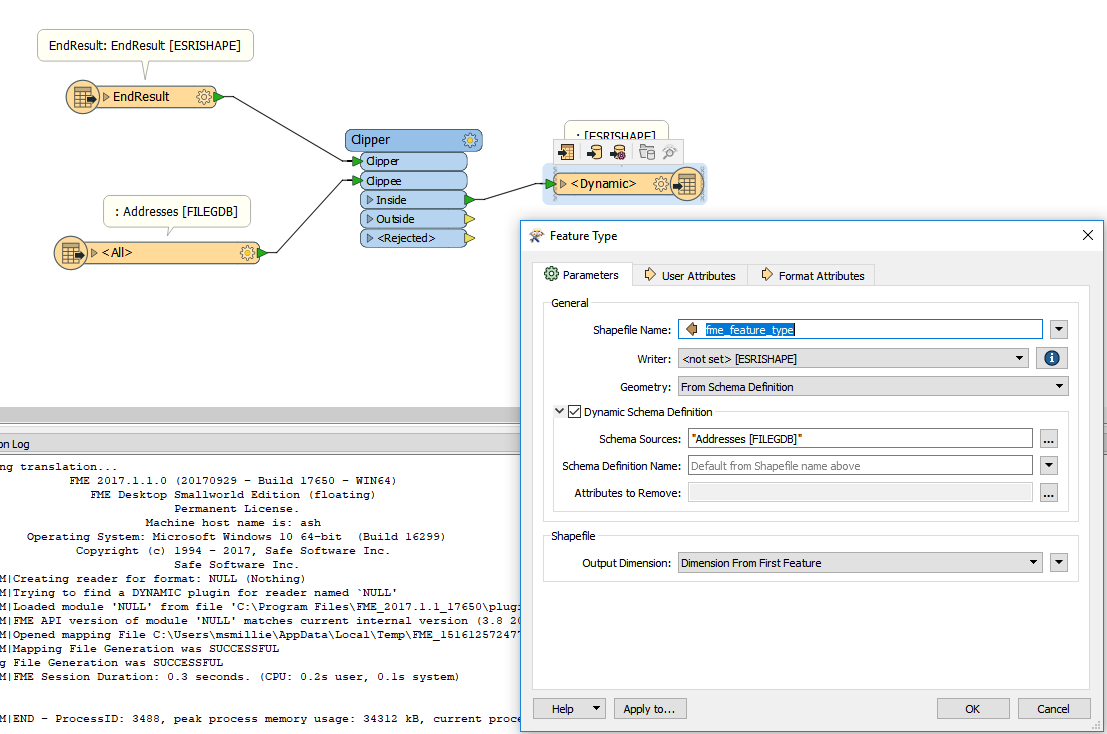
Be sure your output Dynamic Feature type has no User Attributes Present. Also double check that your SchemaSource is set up correctly (below image). If you re-add the writer and choose dynamic mode for the Definition FME should sort it our automagically for you.


If you've added the writer in a different mode (e.g., 'Manual') and then changed it to 'Dynamic' then the changes I mentioned above should clear it all up.


bjudes
Enthusiast
Forum|alt.badge.img+10
  • Author
  • Enthusiast
  • January 16, 2018

Hi @bjudes,

Be sure your output Dynamic Feature type has no User Attributes Present. Also double check that your SchemaSource is set up correctly (below image). If you re-add the writer and choose dynamic mode for the Definition FME should sort it our automagically for you.


If you've added the writer in a different mode (e.g., 'Manual') and then changed it to 'Dynamic' then the changes I mentioned above should clear it all up.


Hi Matt, I re-added the writer and chose dynamic mode and that seemed to have fixed the problem. Thanks so much for the answers to all, this is a great and helpful community.


B