Question

Bug in StringReplacer

  • November 18, 2016
  • 6 replies
  • 92 views

Forum|alt.badge.img

Good morning

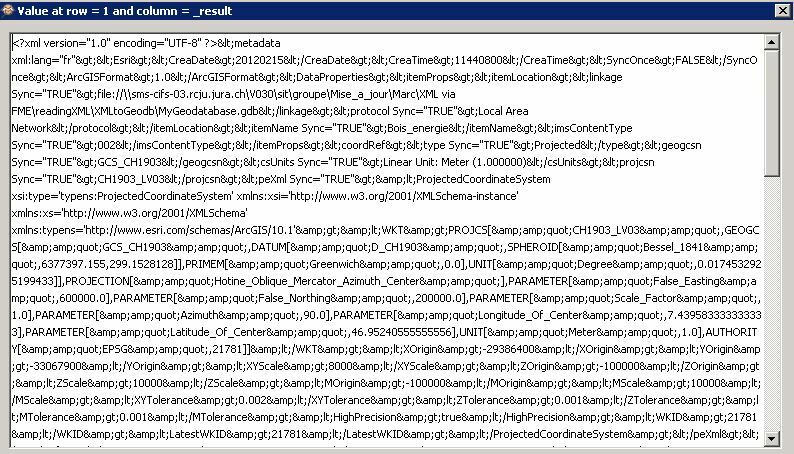
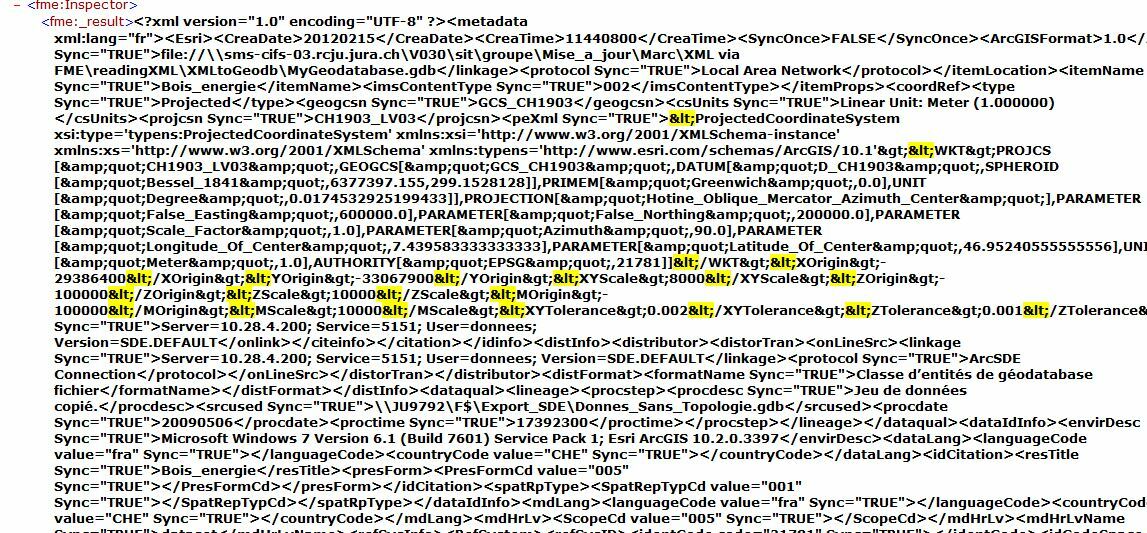
I'm trying to replace some HTML code characters like (<) using Stringreplacer for a XML text. The strange thing is that not all characters are replaced. Few lines in the middle of the text kept the code character < (please check attached image below)
Any ideas ?

Thank you

This post is closed to further activity.
It may be an old question, an answered question, an implemented idea, or a notification-only post.
Please check post dates before relying on any information in a question or answer.
For follow-up or related questions, please post a new question or idea.
If there is a genuine update to be made, please contact us and request that the post is reopened.

6 replies

david_r
Celebrity
  • November 18, 2016

I'm not sure I understand, "&lt;" isn't the same as "<" for the StringReplacer. Is that maybe the case here?


redgeographics
VIP
Forum|alt.badge.img+63

I'm with @david_r, if you use an Inspector before the StringReplacer, do you see "<" or "<"?


itay
Supporter
Forum|alt.badge.img+19
  • Supporter
  • November 18, 2016

Agree, try "&alt;" instead or in combination with "<"


Forum|alt.badge.img
  • Author
  • November 21, 2016

Good morning everyone and thank you very much for your answers.

Using an inspector before the StringReplacer show this result:

Actually as I Said before the StringRepplacer did all the changes in the text except for some few lines.

Thank you very much


Forum|alt.badge.img
  • Author
  • November 21, 2016

I changed the location of the StringReplacer and this time the result is very good. I have no more of these HTML code characters.

Thank you and best regards.


Forum|alt.badge.img
  • November 26, 2016

May be, use a python caller to search and replace all lines of HTML code.