



Hello!
I have workspace which takes shp files and write it down to dwg.
So far so good, FME 101.
The autocad contains manholes blocks with attributes, And in crowded places, where there are many manholes, everything is a terrible mess:
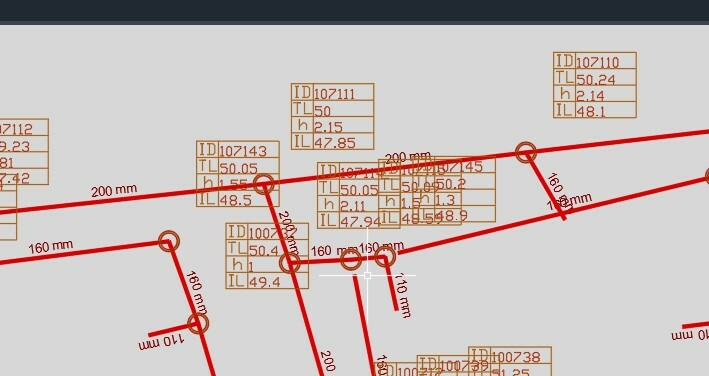 Is there a way to do a visual arrangement using FME?
Where the table of attributes hides another table, or is on a sewer line, move it to another nearby place.
I have quite a bit of experience with work intergate Cad & FME,
And here I don't even know how to begin to address it.
I would love ideas for those who have!
Thanks!
I am attaching an example file.