

Best Answer

Workbench 2018.0 bug - FMEServerJobSubmitter transformer button missing on dialog!

  • April 23, 2018
  • 2 replies
  • 28 views

Forum|alt.badge.img

I noticed that the FMEServerJobSubmitter transformer dialog is missing a button on it, the Refresh Parameters button, which used to be directly under the parameters list in 2017 version (if my memory serves me correctly).
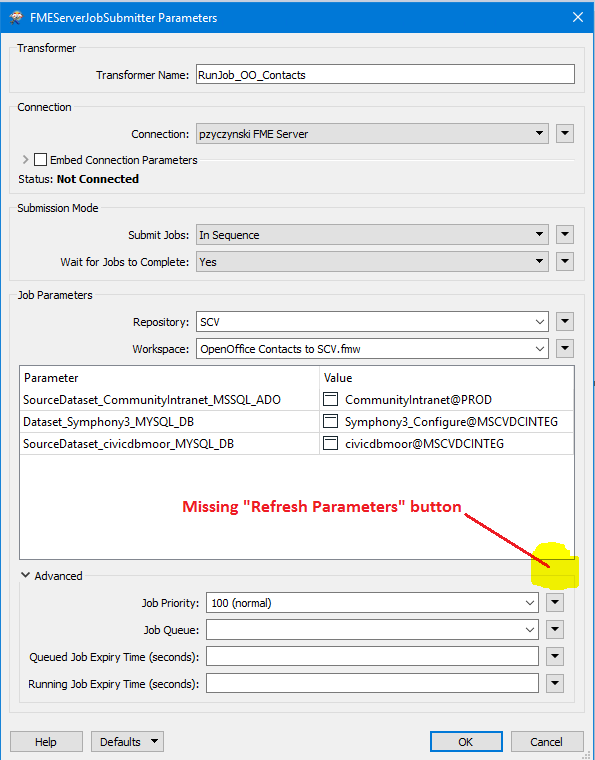
The documentation even refers to it:
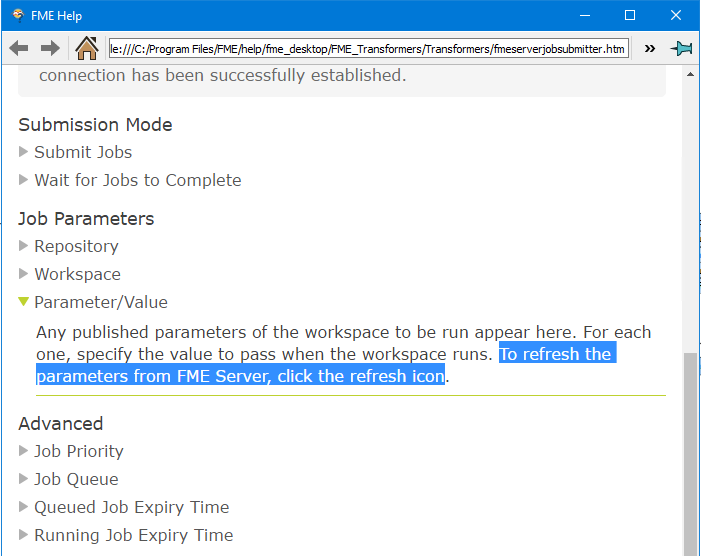
As a workspace evolves over time, parameters are added/removed/renamed, therefor this is crucial functionality that needs to come back. My current workaround is to delete the FMEServerJobSubmitter transformer and add it in again (with the added hassle of re-specifying all the settings).

If there's a different way of refreshing the parameters, I would love to know how.
Best answer by takashi

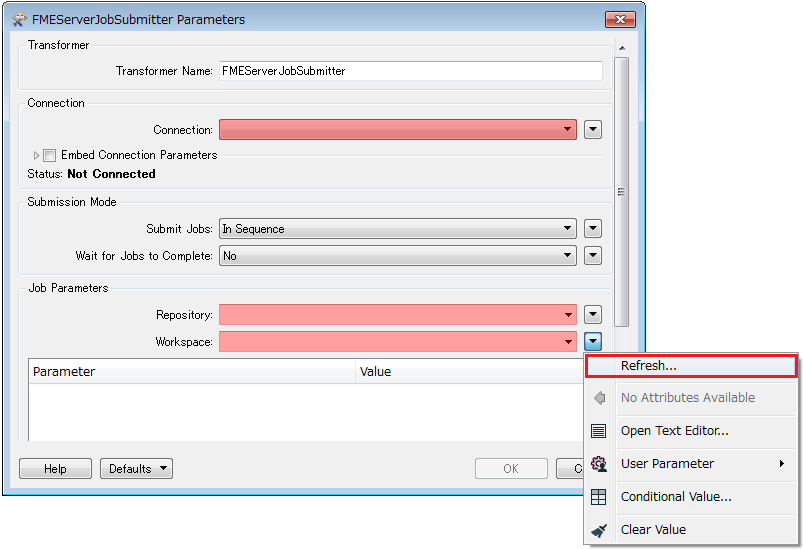
Hi @peterz, don't worry, we now have the 'Refresh' command in the menu opened from the menu button beside the Workspace field.

But the Help description is inconsistent with the actual GUI. I'd say it's a bug.

This post is closed to further activity.
It may be an old question, an answered question, an implemented idea, or a notification-only post.
Please check post dates before relying on any information in a question or answer.
For follow-up or related questions, please post a new question or idea.
If there is a genuine update to be made, please contact us and request that the post is reopened.

2 replies

takashi
Celebrity
  • Best Answer
  • April 23, 2018

Hi @peterz, don't worry, we now have the 'Refresh' command in the menu opened from the menu button beside the Workspace field.

But the Help description is inconsistent with the actual GUI. I'd say it's a bug.


Forum|alt.badge.img
  • Author
  • April 23, 2018

Hi @peterz, don't worry, we now have the 'Refresh' command in the menu opened from the menu button beside the Workspace field.

But the Help description is inconsistent with the actual GUI. I'd say it's a bug.

Thank you Takashi, that's well hidden in there ;)


