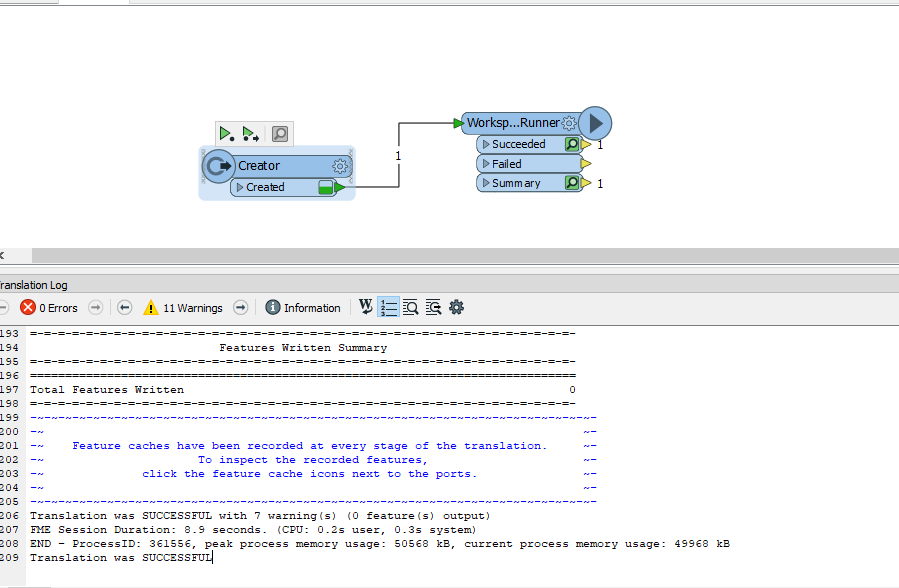
I am trying to use the "WorkspaceRunner" transformer to run workbench based on the other one.
in the first workbench I used the creator transformer the WorkspaceRunner, it gives me it is run successfully but it the caching is still updating at the same time also (snapshot).
Anyone can help me with that?
Best answer by markatsafe
@gisuser I was able to reproduce the symptoms you're reported, it looks like there is a problem with Feature Caching. I think your job has completed successfully. Try running the job with feature caching OFF. Add a Inspectors after the WorkspaceRunner so you can check the results.
This has been fixed in FME 2019
This post is closed to further activity.
It may be an old question, an answered question, an implemented idea, or a notification-only post.
Please check post dates before relying on any information in a question or answer.
For follow-up or related questions, please post a new question or idea.
If there is a genuine update to be made, please contact us and request that the post is reopened.
@gisuser I was able to reproduce the symptoms you're reported, it looks like there is a problem with Feature Caching. I think your job has completed successfully. Try running the job with feature caching OFF. Add a Inspectors after the WorkspaceRunner so you can check the results.
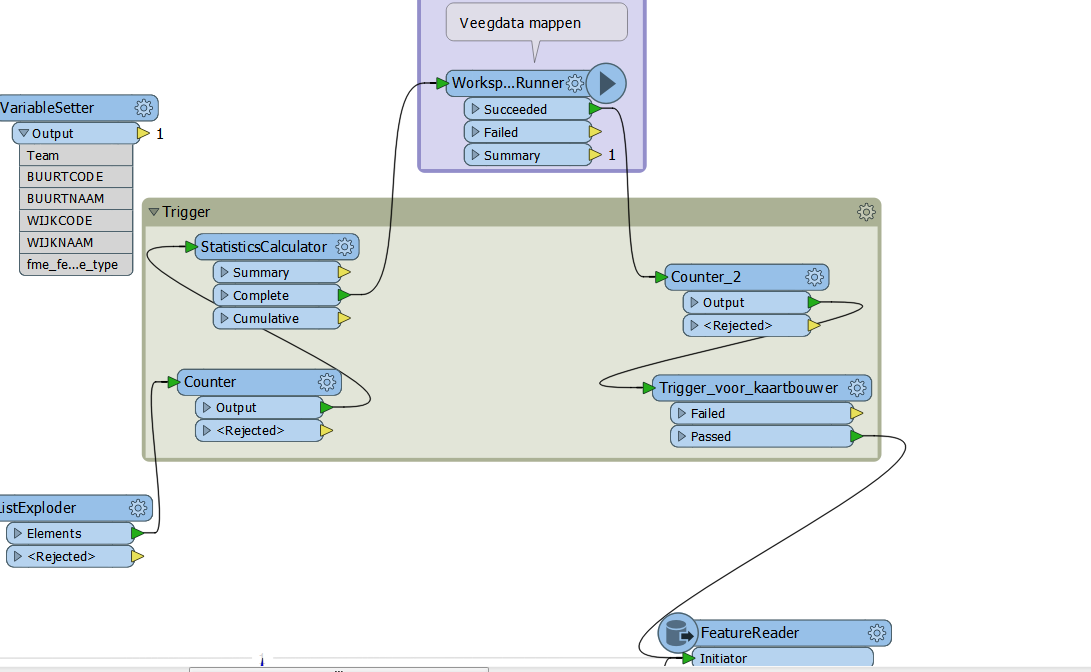
I do that by using a counter and statisticscalculator to get the max of the counter prior to the WS_Caller and after the caller I use a counter and then tester to test for count= max.
This I use as a trigger.
Now you can run anything from the passed port of the tester.
In this pic I read datasets (using a feature reader) that are created in the workspace called.
@gisuser I was able to reproduce the symptoms you're reported, it looks like there is a problem with Feature Caching. I think your job has completed successfully. Try running the job with feature caching OFF. Add a Inspectors after the WorkspaceRunner so you can check the results.
This has been fixed in FME 2019
Thank you @markatsafe
But I feel the problem in the transformer itself because the data that should be updated (the result for workbench 2 ) does not update, while when I am trying to run the second workbench separately it is run successfully and get the expected result.
I do that by using a counter and statisticscalculator to get the max of the counter prior to the WS_Caller and after the caller I use a counter and then tester to test for count= max.
This I use as a trigger.
Now you can run anything from the passed port of the tester.
In this pic I read datasets (using a feature reader) that are created in the workspace called.
Hi @gio
Thank you, but it seems I didn't catch your idea.
the problem I feel that maybe I did not understand the transformer itself.
But I feel the problem in the transformer itself because the data that should be updated (the result for workbench 2 ) does not update, while when I am trying to run the second workbench separately it is run successfully and get the expected result.
@gisuser I think that is a separate issue to the Feature Caching. If your child workspace is not running correctly then it's likely to be a problem with the way you're passing parameters from the WorkspaceRunner or something along those lines. It's tedious to debug these parent / child workspace issues. Check the log file of the child workspace - it may give you a clue on why it is not running correctly