




Best Answer

Centerline Replacer comes up short.

  • June 19, 2021
  • 3 replies
  • 126 views

larue
Contributor
Forum|alt.badge.img+12

I am trying to generate centerlines from parallel line pairs which are transformed into bounding boxes, then areas. This works but the centerlines do not extend all the way to the edge of the area/bounding box:
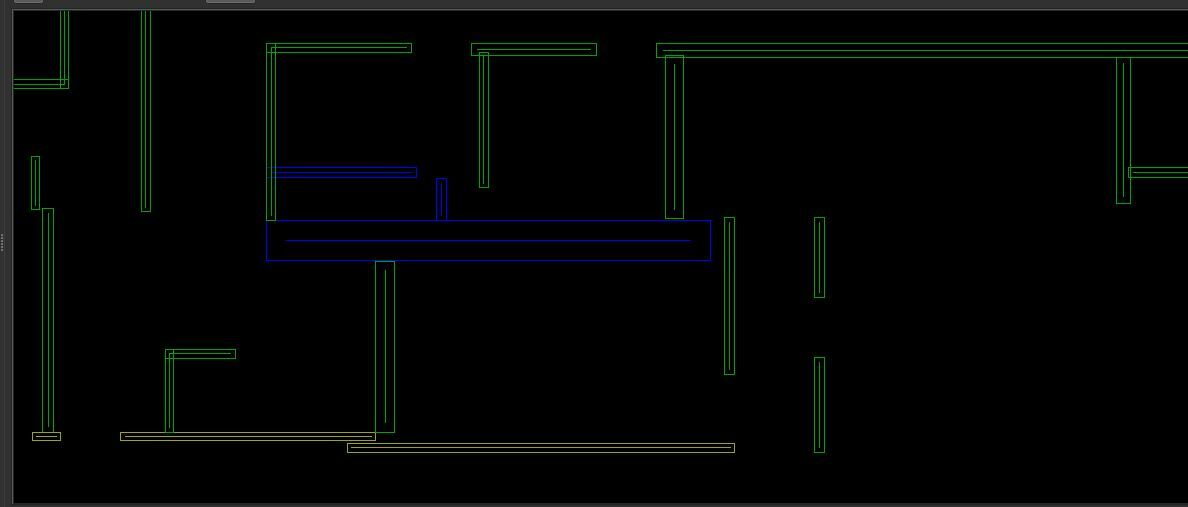
CreateCtrLineShort1There does not seem to be any settings in either bounding box, area builder, or centerline replacer to change this. Am I going to have to add a snapper? Any reason why it does not go to the edge?


Thanks,
@larue​ 

Best answer by larue

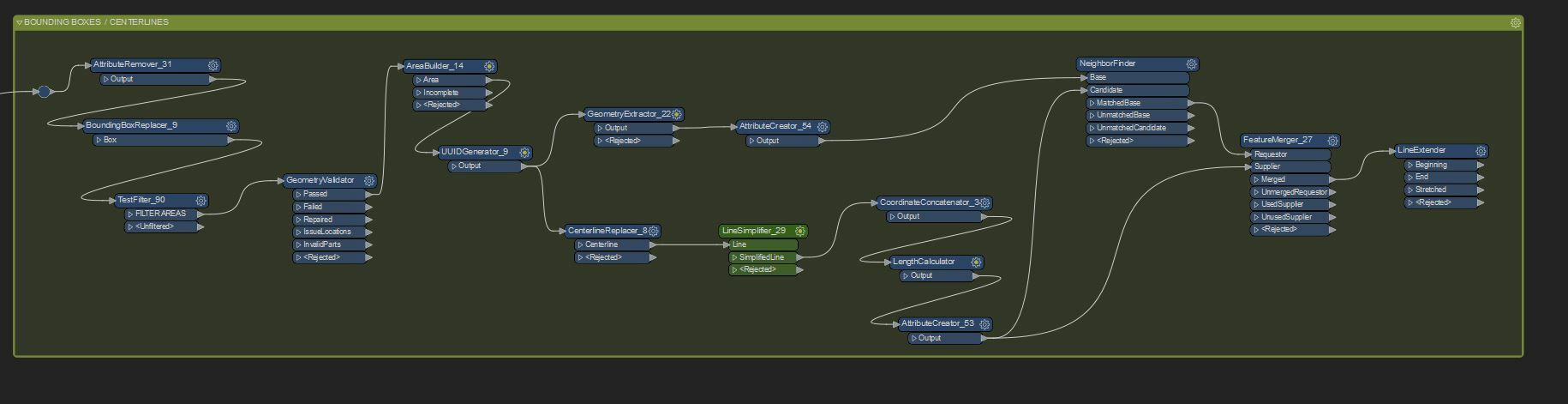
Here is a possible answer using neighbor finder and line extender, with line length set to the distance:


CreateCtrLineShort2

This post is closed to further activity.
It may be an old question, an answered question, an implemented idea, or a notification-only post.
Please check post dates before relying on any information in a question or answer.
For follow-up or related questions, please post a new question or idea.
If there is a genuine update to be made, please contact us and request that the post is reopened.

3 replies

larue
Contributor
Forum|alt.badge.img+12
  • Author
  • Contributor
  • Best Answer
  • June 20, 2021

Here is a possible answer using neighbor finder and line extender, with line length set to the distance:


CreateCtrLineShort2


danilo_fme
Celebrity
Forum|alt.badge.img+52
  • Celebrity
  • September 5, 2021

Here is a possible answer using neighbor finder and line extender, with line length set to the distance:


CreateCtrLineShort2

Nice @larue​ 


larue
Contributor
Forum|alt.badge.img+12
  • Author
  • Contributor
  • September 6, 2021

I have also had some good luck with the SmartCleaner. You need to play around with the parameters, but it will extend to the edges.



