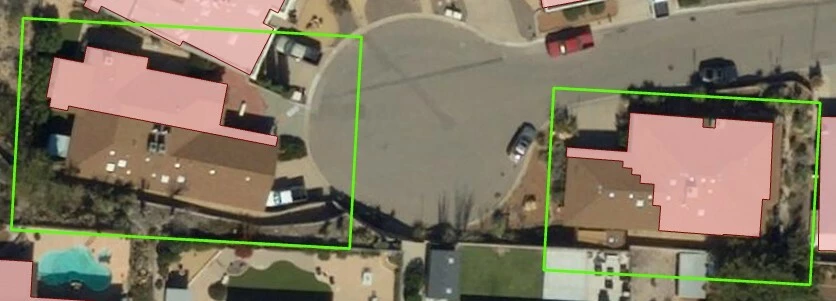
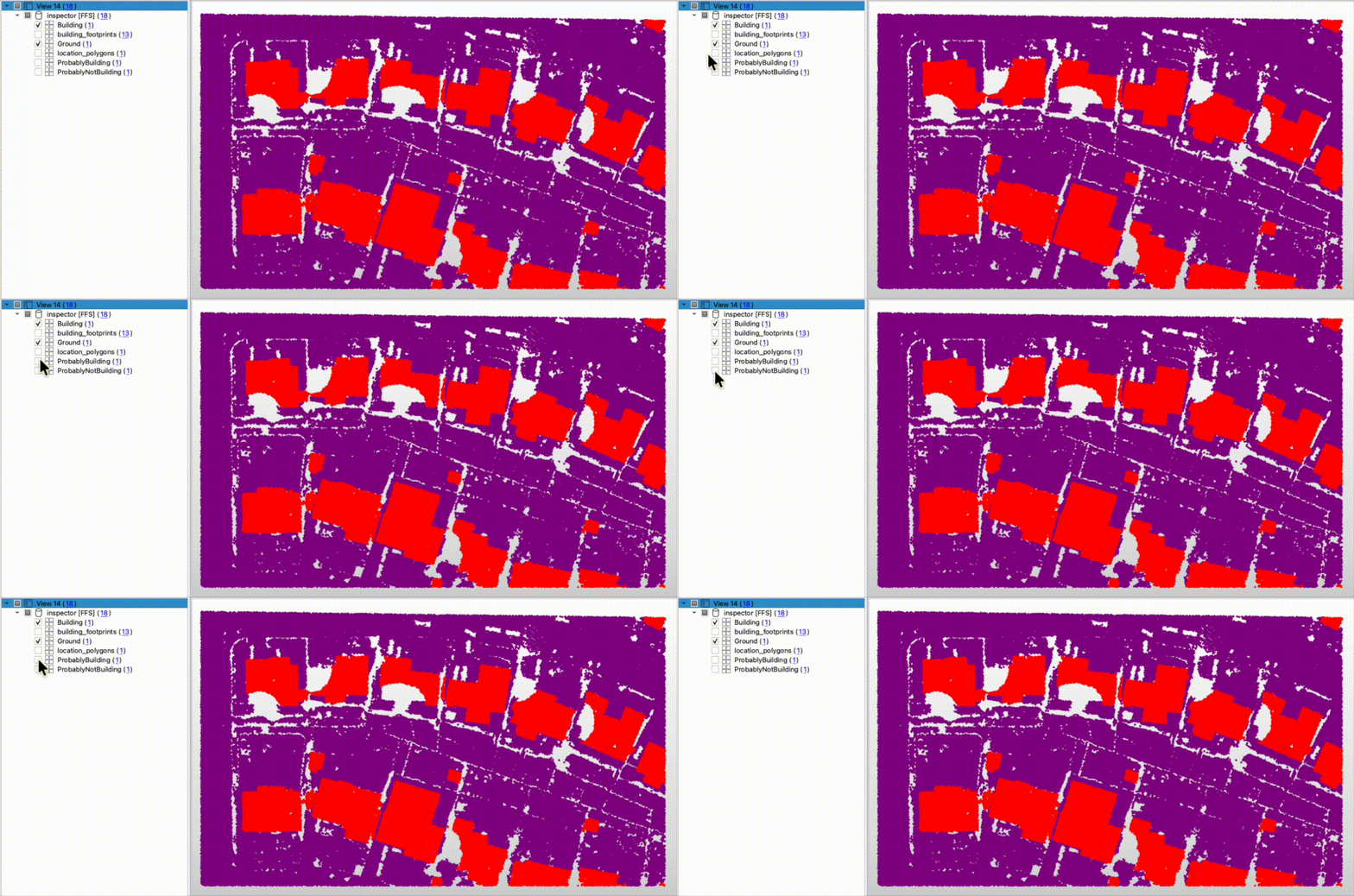
I am working on a project creating building footprints from a lidar point cloud. However, the original lidar point cloud being used has some portions of buildings classified with “unassigned” values which has created incomplete building footprints. Are there any suggestions how I could identify these “unassigned” building values to fix the building footprint?
Best answer by dmitribagh
Hi @creinier,
I can suggest a data enrichment approach, which seems to work. It will not get all the building points, but it will find enough points to get accurate building footprints. We have unclassified points that can be buildings, ground, fences, or trees. Each group has unique characteristics, and if we know them, we can classify points. For example, a building cannot be 1 m high or vegetation intensity is usually a lot lower than roofs’.
So, first, we make a DEM that represents ground using only ground points (RasterDEMGenerator). We have enough of them to be confident it’s an accurate ground representation. Then, we can overlay our unclassified points over this DEM (PointCloudOnRasterComponentSetter) and pass the local elevations to the point cloud points. Then we can can calculate their height above the ground (PointCloudExpressionEvaluator). After that we can filter points that are:
Above 2 meters
Below 5 meters
Have only one return (trees usually have more than one return)
Intensity is above 30,000
If all these conditions are met, we probably deal with a building, otherwise it is something else. You may need to play with these value to get better results.
After this process, you still may have a few points outside the buildings which met the conditions, but are still not buildings. You can use a few cartometric tricks to find such points. Using HullReplacer, you can generate polygons, and measure their area, rectangularity, and circularity. Small thin areas are not buildings, you can throw them away.
Check the attached workspace. If you have any questions feel free to contact me directly at dmitri@safe.com
This post is closed to further activity.
It may be an old question, an answered question, an implemented idea, or a notification-only post.
Please check post dates before relying on any information in a question or answer.
For follow-up or related questions, please post a new question or idea.
If there is a genuine update to be made, please contact us and request that the post is reopened.
There are some custom transformers on the Hub for LasTools. However, LasTools is a licensed piece of software so this approach may well not work for your scenario
Hi @creinier thanks for your question! Are you able to provide a bit of sample data to test what solutions could work for you? Without seeing your data and not being able to use LAS Tools my only other suggestion would be to use some of the custom transformers on the FME Hub to help you classify your data, search for Point Cloud and there’s lots. ps. you can also edit custom transformers to fit your needs.
If what you would like to share is sensitive or too large you could also submit a support ticket with this information and we’d be happy to help where we can! You can access your existing support tickets, or submit new requests here
Hi @evieatsafe - Thank you for the response! I apologize for the delayed response. Attached is a fgdb with a feature class named location_polygons that shows the location of the problem areas, and another feature class with the partial building footprints being generated (not all footprints are incomplete, just a few areas). The misclassified lidar point cloud can be downloaded from here, it was a bit too large to attach.
I’d like to just identify where actual building points are being misclassified so I can go back and fix the issue. I’ve been messing around with some of the different point cloud transformers but haven’t really made any progress. Any help is greatly appreciated! Thank you!
I can suggest a data enrichment approach, which seems to work. It will not get all the building points, but it will find enough points to get accurate building footprints. We have unclassified points that can be buildings, ground, fences, or trees. Each group has unique characteristics, and if we know them, we can classify points. For example, a building cannot be 1 m high or vegetation intensity is usually a lot lower than roofs’.
So, first, we make a DEM that represents ground using only ground points (RasterDEMGenerator). We have enough of them to be confident it’s an accurate ground representation. Then, we can overlay our unclassified points over this DEM (PointCloudOnRasterComponentSetter) and pass the local elevations to the point cloud points. Then we can can calculate their height above the ground (PointCloudExpressionEvaluator). After that we can filter points that are:
Above 2 meters
Below 5 meters
Have only one return (trees usually have more than one return)
Intensity is above 30,000
If all these conditions are met, we probably deal with a building, otherwise it is something else. You may need to play with these value to get better results.
After this process, you still may have a few points outside the buildings which met the conditions, but are still not buildings. You can use a few cartometric tricks to find such points. Using HullReplacer, you can generate polygons, and measure their area, rectangularity, and circularity. Small thin areas are not buildings, you can throw them away.
Check the attached workspace. If you have any questions feel free to contact me directly at dmitri@safe.com
Thank you so much for your solution on this! This looks like it’ll work great for what I need. I will test out the workbench you attached and reach out to you directly if I have any questions.