Question

OpenAIChatGPTConnecter

  • March 17, 2026
  • 3 replies
  • 54 views

couch
Contributor
Forum|alt.badge.img+7

Hi I am using the OpenAIChatGPTConnecter in FME Form and entered all relevant details but receiving this error- 

Could not resolve hostname


Obviously something network related, any further ideas? I cannot ping to the endpoint from command prompt.


3 replies

desiree_at_safe
Safer
Forum|alt.badge.img+20

Hi ​@couch! That does really sound like a network-related issue! 

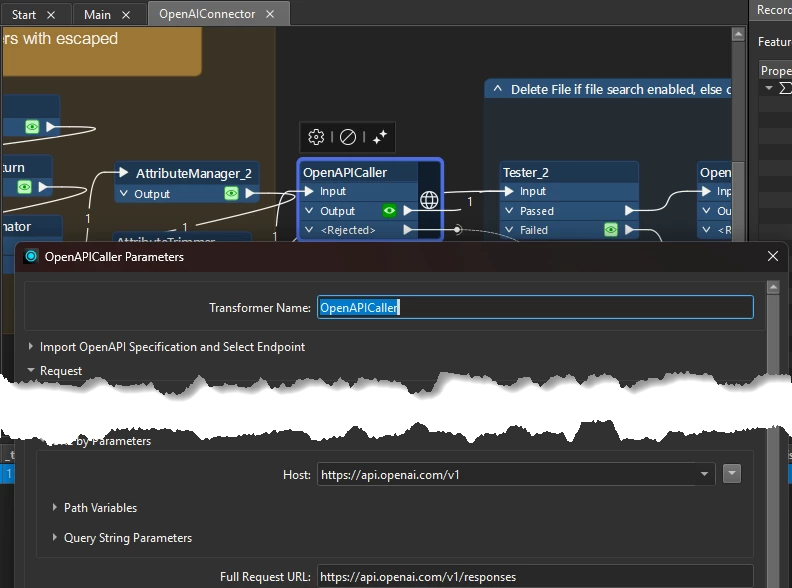
Which endpoint were you trying to ping? You can right-click> ‘Embed’>‘Edit Transformer’ to see the exact endpoints the connector calls, which include: https://api.openai.com/v1.

Once you confirm those endpoints, if it's still unreachable from your command prompt, your IT team would be the best next step to check for any firewall or proxy restrictions on that https://api.openai.com domain.


Another suggestion would be to check your API Key to ensure it’s tied to an active payment plan and that the model you use isn’t deprecated!


couch
Contributor
Forum|alt.badge.img+7
  • Author
  • Contributor
  • March 20, 2026

Hi, Thanks I am using the - OpenAIChatGPTConnecter and one of the parameters to enter is the endpoint. I agree it looks firewall related. I see the openapi caller needs a json file to enter the credentuals required. I can maybe look at this method but probs get same issue. I think the model used on our AI platform is GPT-5 this options diesnt seem to be available within the OpenAIChatGPTConnecter transformer - maybe this is the issue.


desiree_at_safe
Safer
Forum|alt.badge.img+20

Ah, I see! Thank you ​@couch, for correcting me on that. In this case, I’d recommend the OpenAIConnector, if possible!

They essentially do the same thing! The OpenAIChatGPT one is the community version, whereas the OpenAIConnector is our Safe Software Verified version, which means it's maintained more frequently.

I was able to query GPT-5 on that OpenAIConnector, so it’s worth a try! 🙂

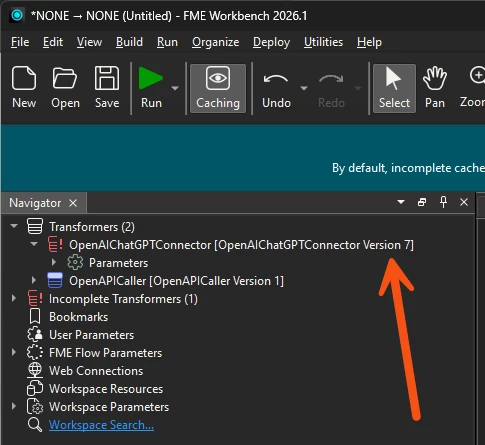
Let me know how that goes, and/or what version of the OpenAIChatGPT connector you’re on! You should be able to see that in the Navigator