


Question

How do you capture the full extend of a vector when rasterizing?

  • March 9, 2026
  • 1 reply
  • 23 views

thespatialist
Participant
Forum|alt.badge.img+1

How can one rasterize a vector where all cells touched by a polygon/vector get drawn during rasterization?

I have tried the NumericRasterizer, but I believe there’s an issue with tolerance values greater than 0.5 not being respected when using the NumericRasterizer transformer.

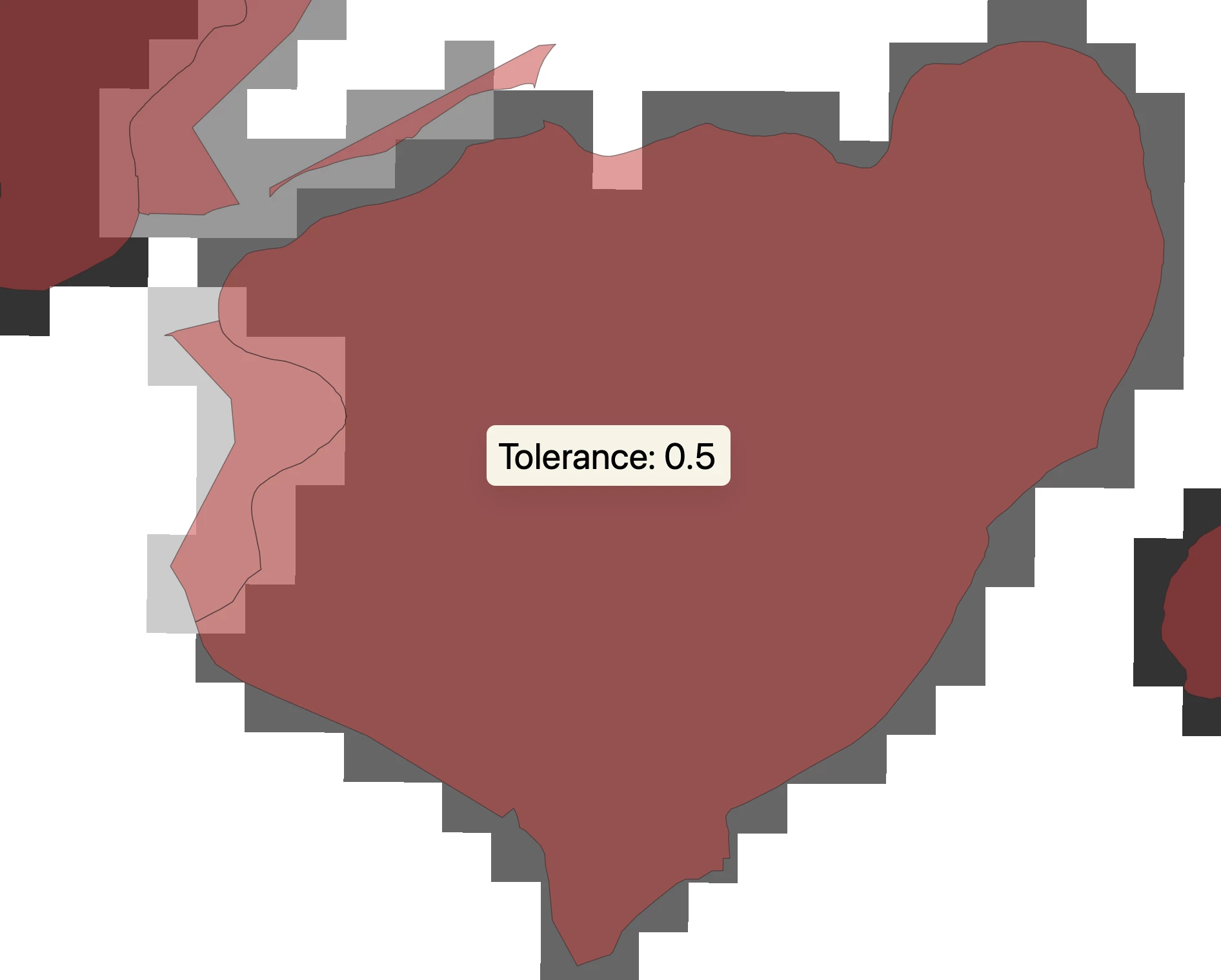
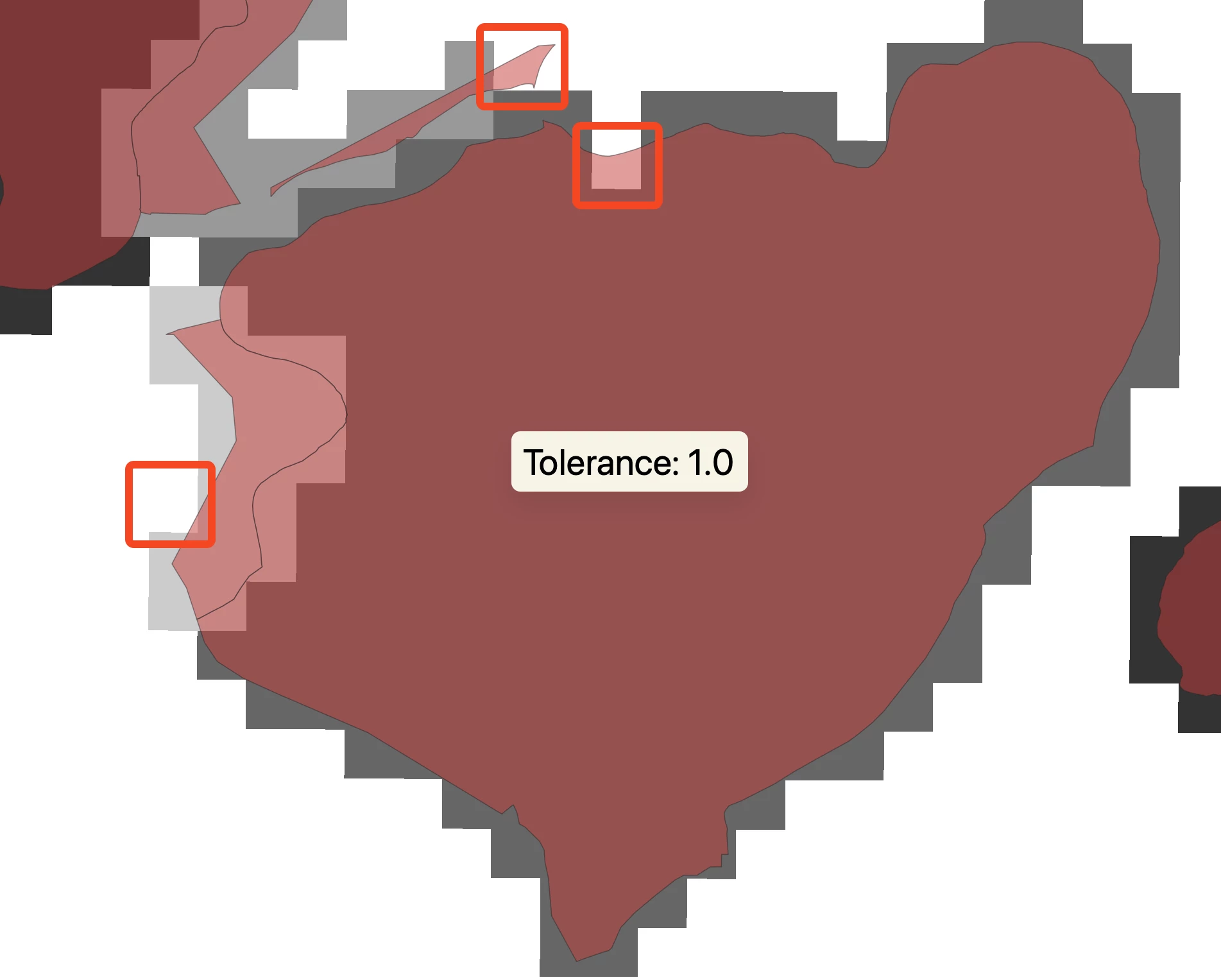
With tolerances like 0 and 0.5, I can see a difference in output. However, a tolerance value of 1.0 has no change in the output (see below).
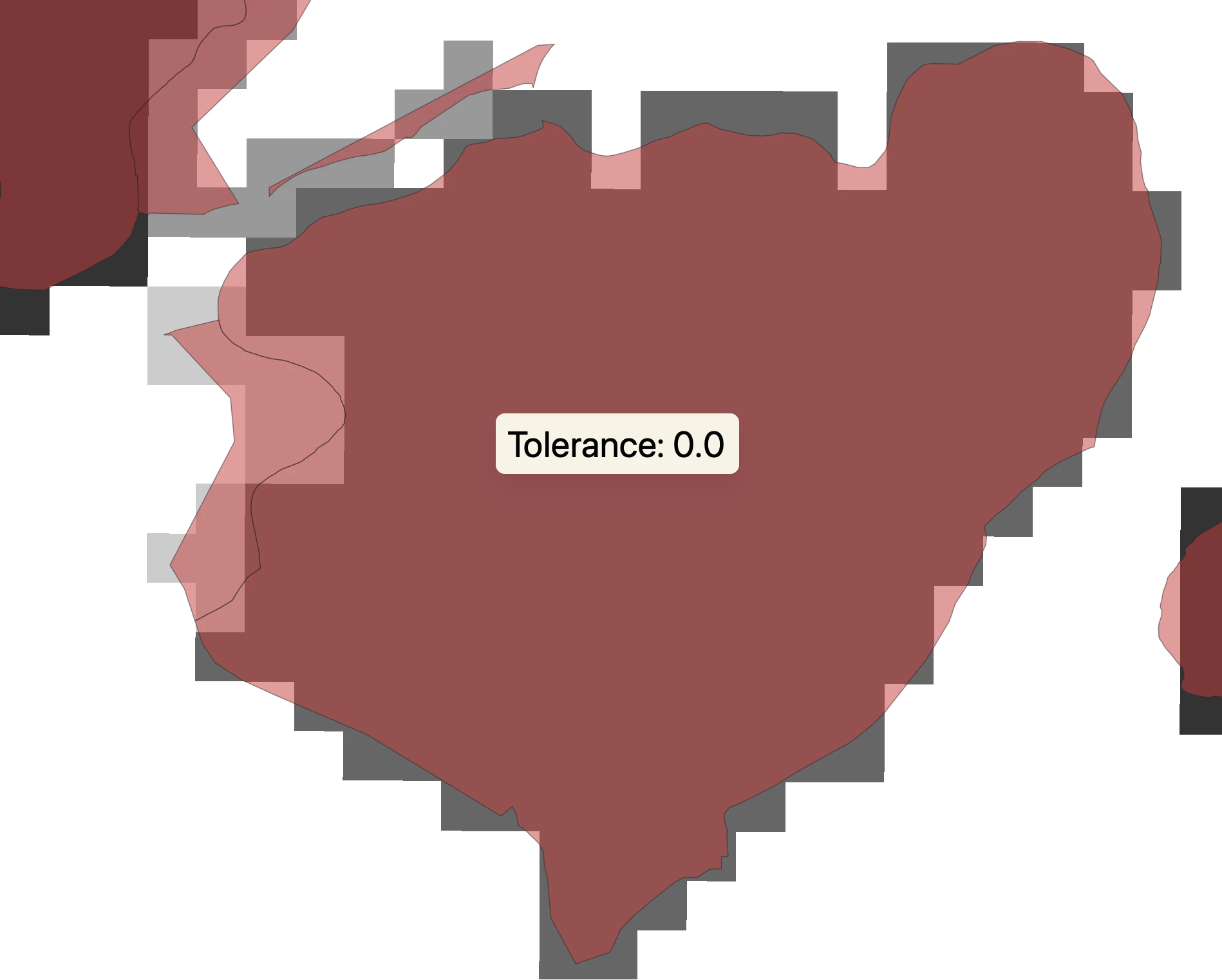
Output from NumericRasterizer with tolerance set to 0.0, with the input vector overlayed


Output from NumericRasterizer with tolerance set to 0.5, with the input vector overlayed


Output from NumericRasterizer with tolerance set to 1.0, with the input vector overlayed


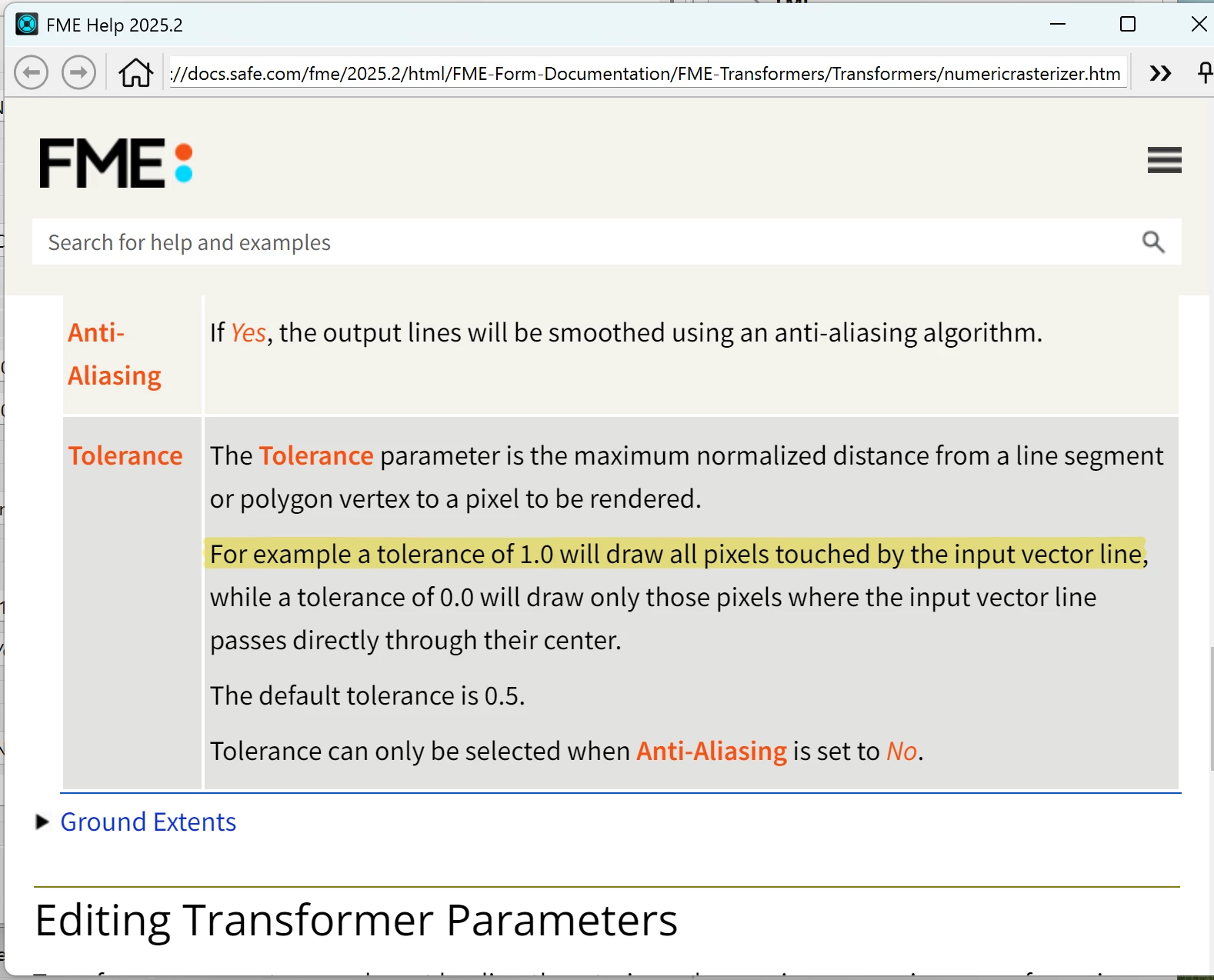
Going by the documentation, it explicitly states that a tolerance of 1.0 will draw all pixels touched by the input vector line, which can been seen above as not being seen in the output.
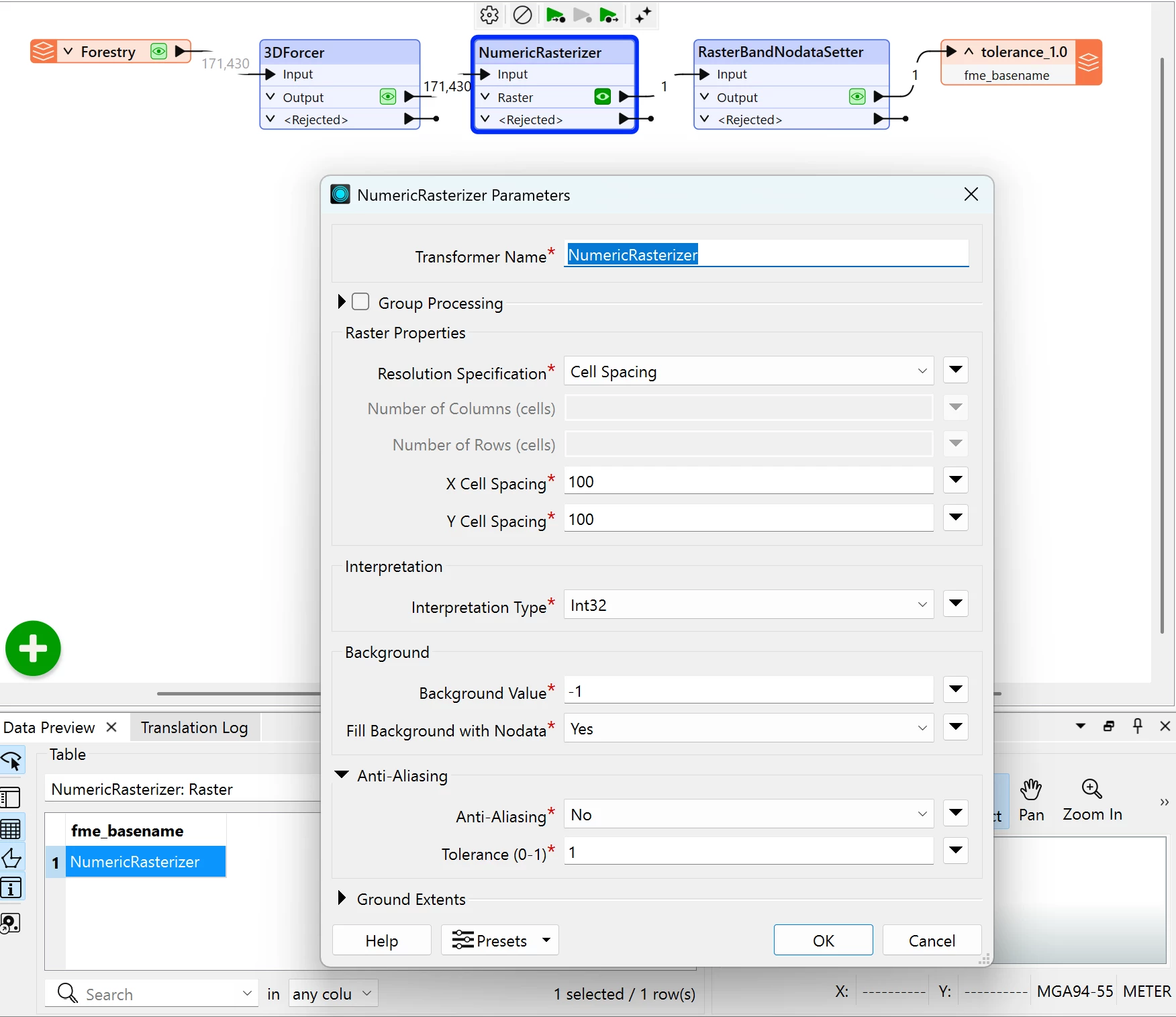
Work flow and NumericRasterizer parameters


Documentation of the tolerance parameter from the corresponding version of FME Flow


I have test values such as 0.7 0.8, 0.9, and 0.999 with no luck.


Does anyone know if this is intentional or a bug? And if not, how might one achieve a perfect rasterization as described when the value is 1.0?


This was tested in FME Form/Workbench 2025.2.3. 

1 reply

max_h
Enthusiast
Forum|alt.badge.img+26
  • Enthusiast
  • March 10, 2026

It is always trying to approximate from the inside as far as I know.
So I guess a way (probably not the most elegant one) would be:

  • buffer your polygon
  • rasterize it
  • intersect/clip it with your original polygon an set all non-overlapping(outside) cells to no data