




Question

Dynamically adjust contrast or gamma in rasters

  • April 8, 2026
  • 1 reply
  • 37 views

james_c_452
Enthusiast
Forum|alt.badge.img+9

Hi,
I have several rasters that are quite dark, I’d like to brighten them. I can do this automatically in another software, but this involves me setting up a script (I use mogrify).
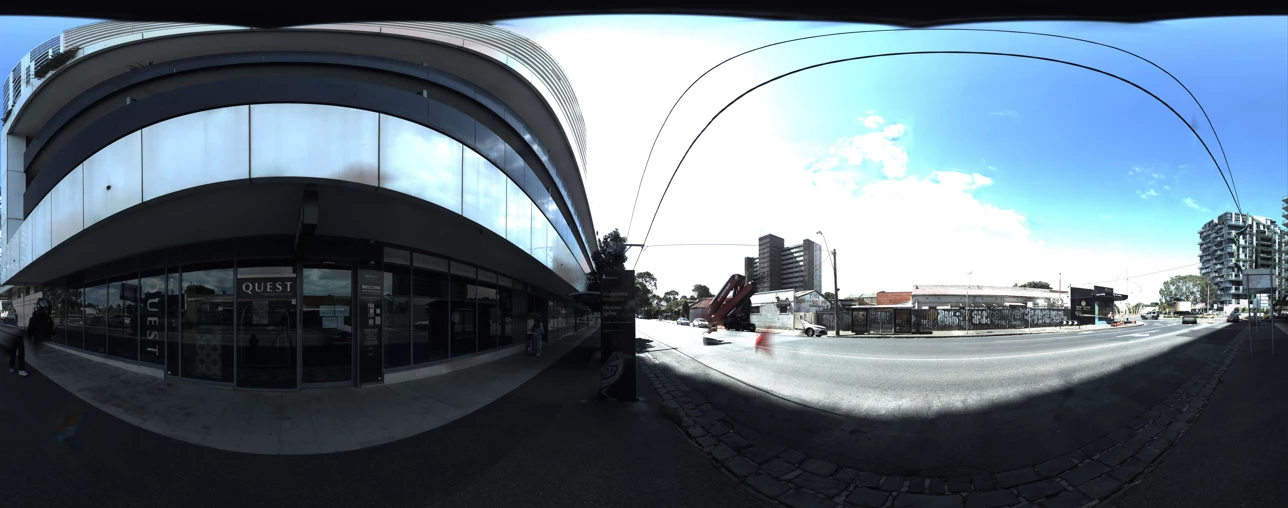
I’d like to do this in FME, but I have never been able to work it out. I have tried several things over the years. The best I’ve been able to do dynamically is make the image better, but then the colours go all strange. I want to keep them close to real like. Here is an example of a dark image.
I don’t think the images have a consistent correction that should be applied, which is why I want it to treat each image individually.
Any help would be great thanks


1 reply

ali-safe
Safer
Forum|alt.badge.img+24
  • Safer
  • April 13, 2026

Hi ​@james_c_452; thank you for posting your question.

I appreicate you detailing what your use-case is and what you have tried to the best of your ability - this is helpful.

Back to your question, what you are describing here could be achived by heading over to FME Hub and using the ImageColorAdjuster. This should allow you to correct the images you have. Do let us know if you need some asstiance with using it or if it doesn’t work out, or really anything else releated to your question.

Best,


